Planning
Scheduling software for your whole fleet.
For one boat or a whole fleet, and for rentals, tours and charters on the same boats. You see at a glance who's out and what's still free, so you don't have to keep any of it in your head.
At a glance.
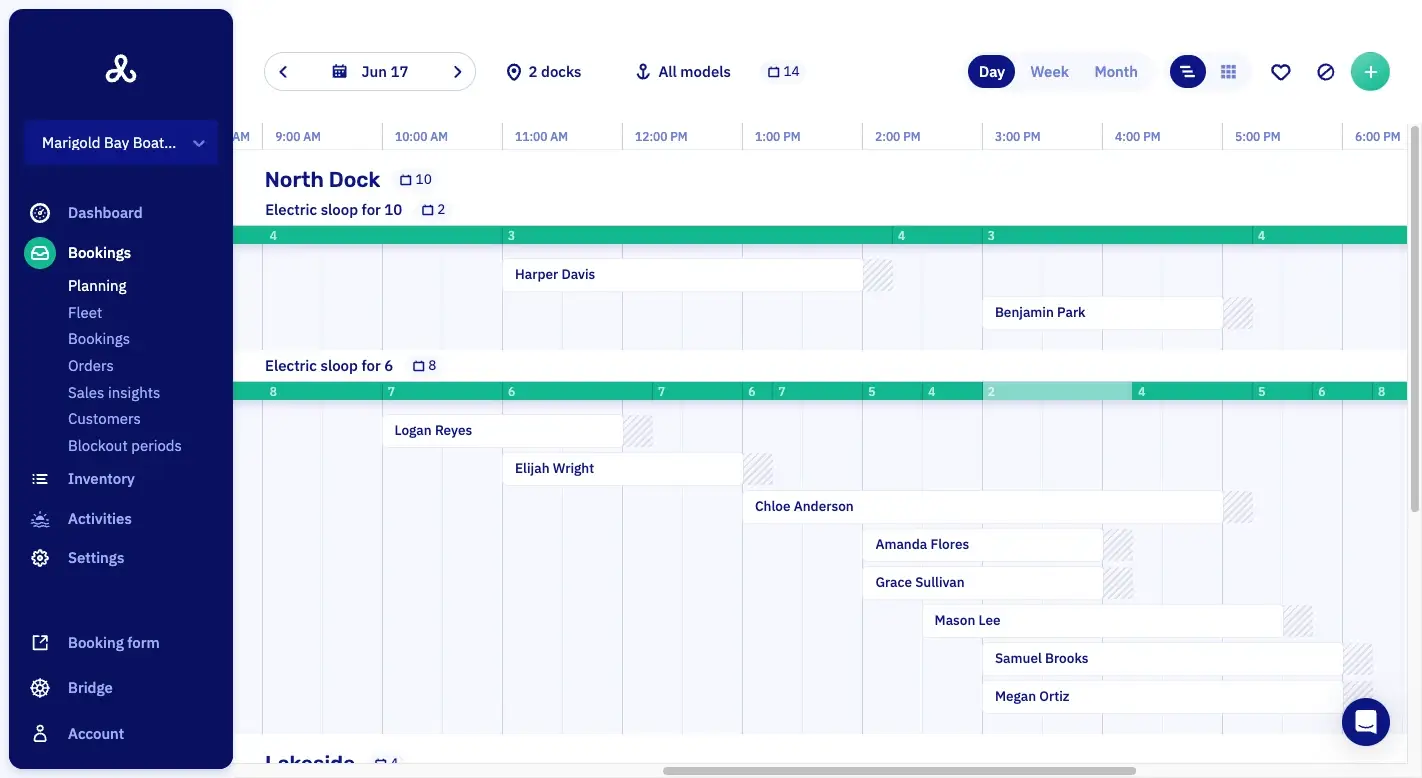
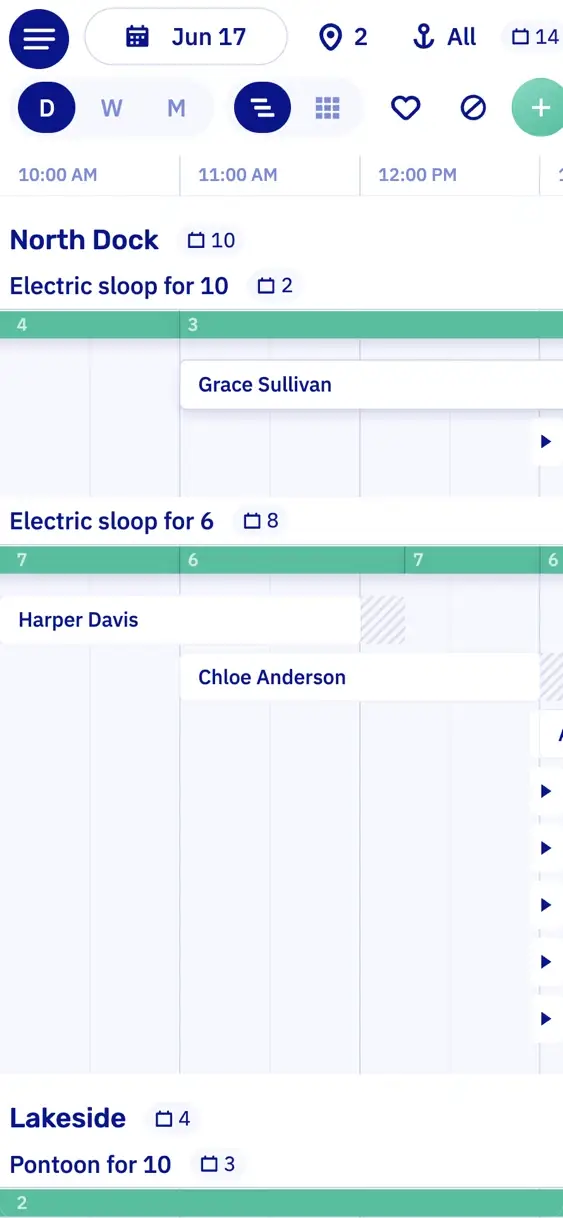
DayA bar per boat model, per dock.
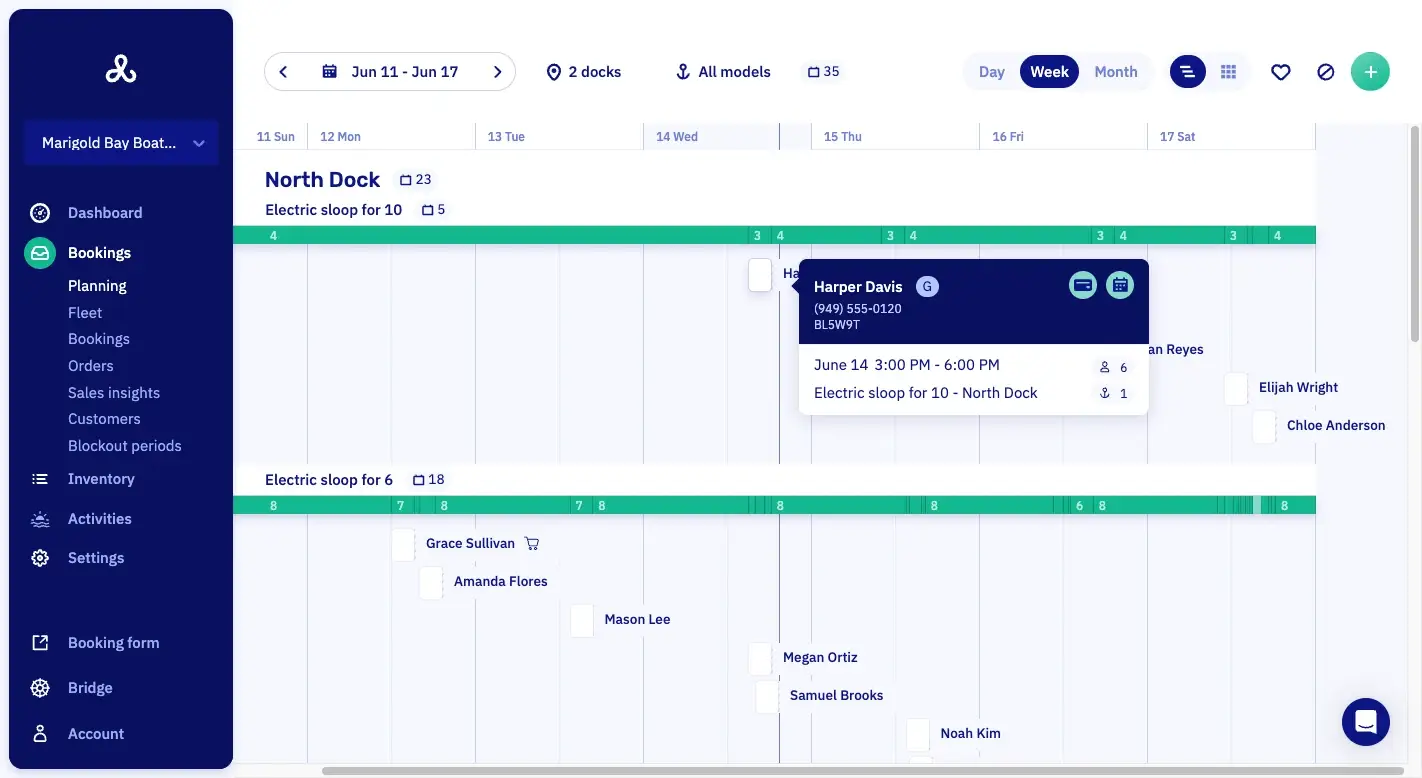
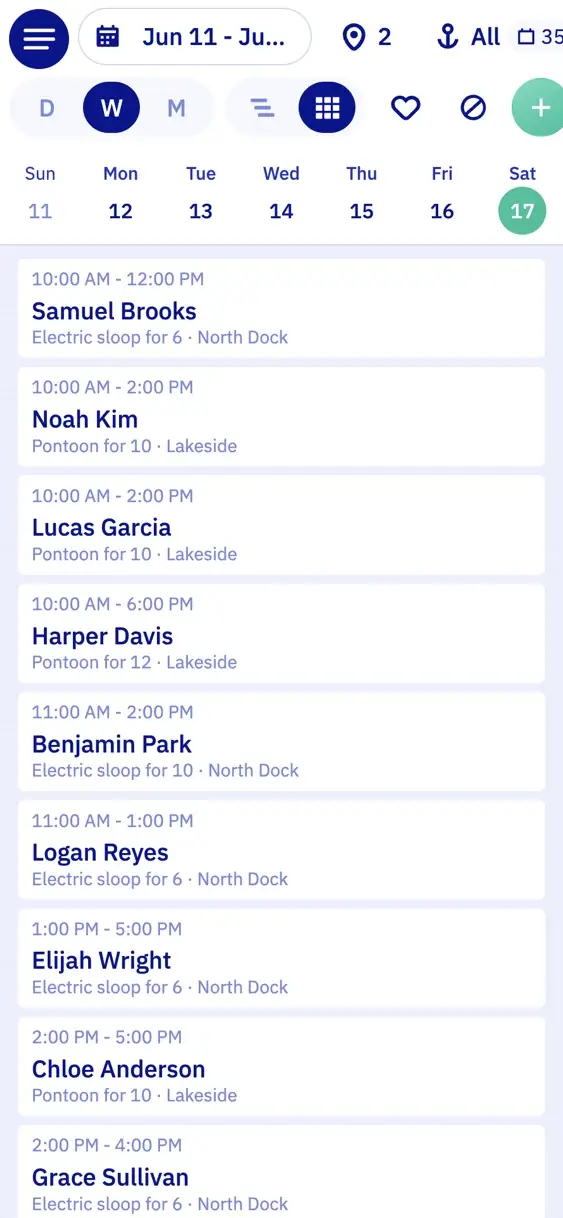
WeekSeven days, every boat.
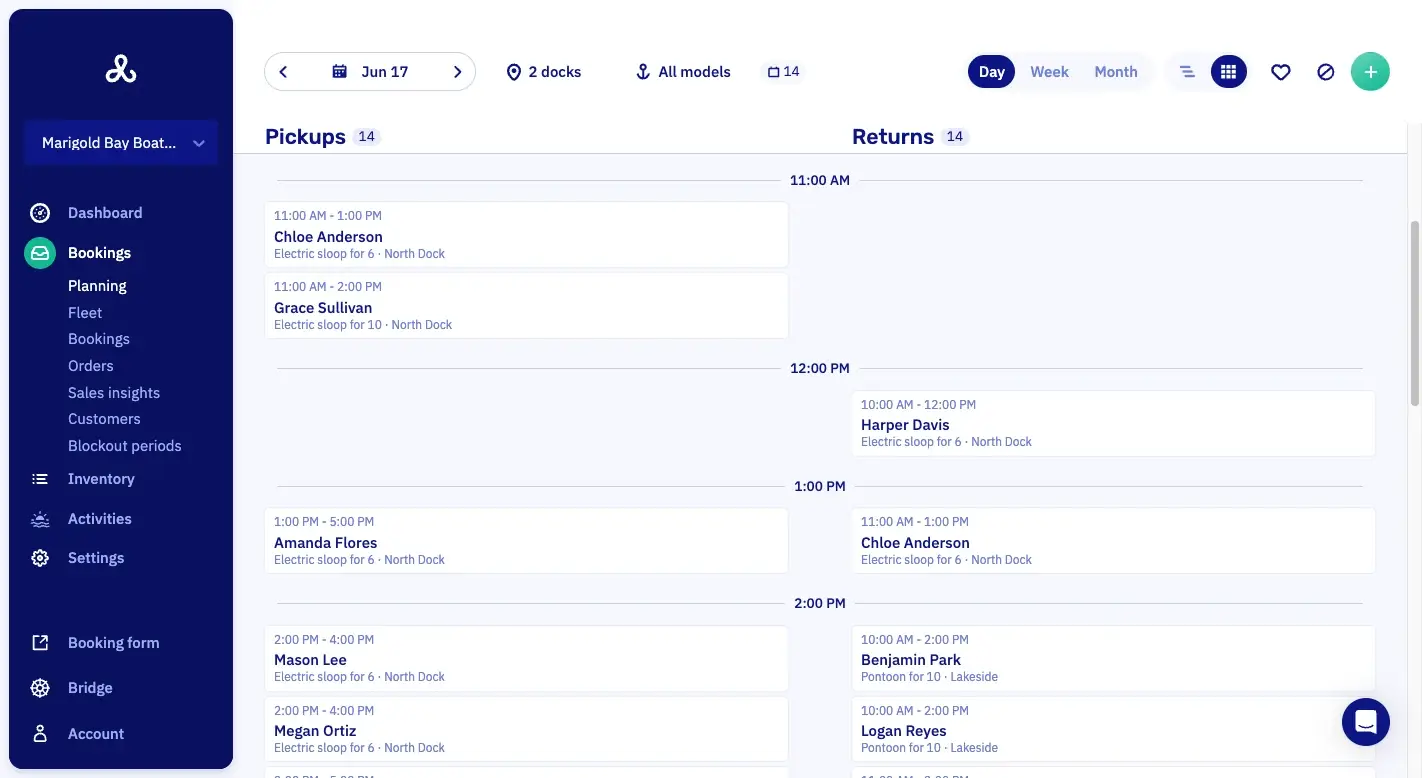
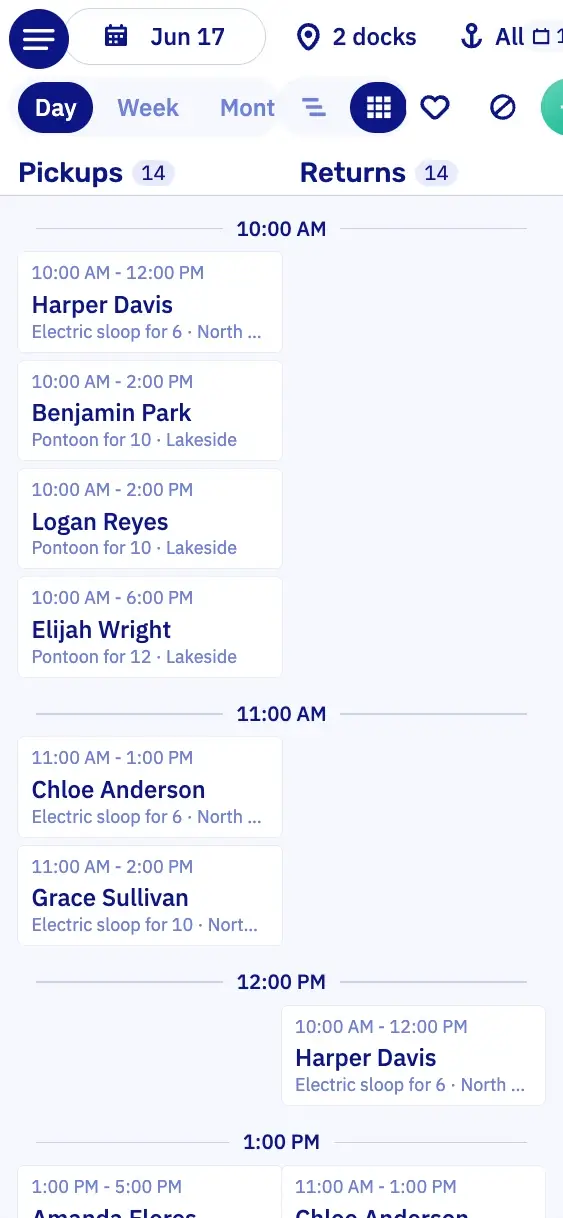
Pickups and returnsWho leaves and who comes back, per hour.
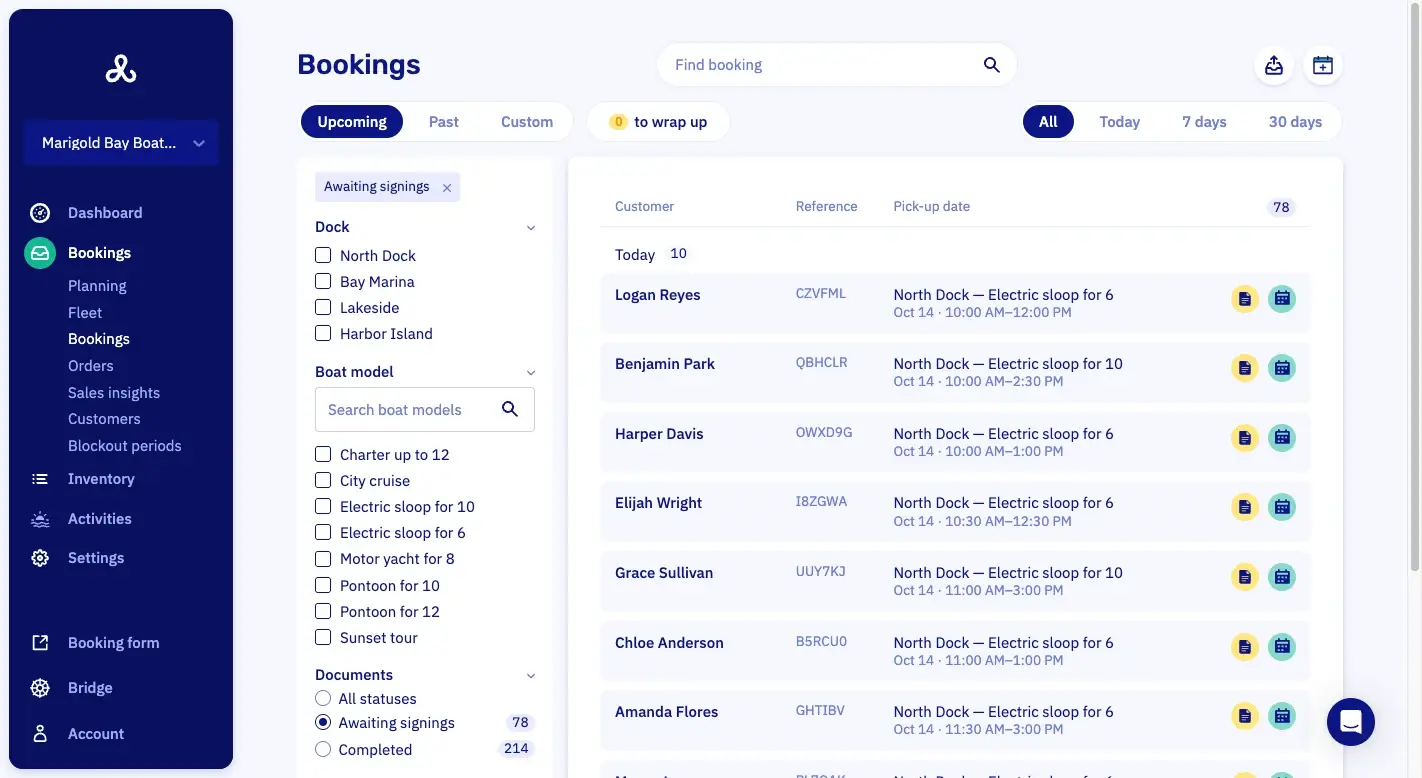
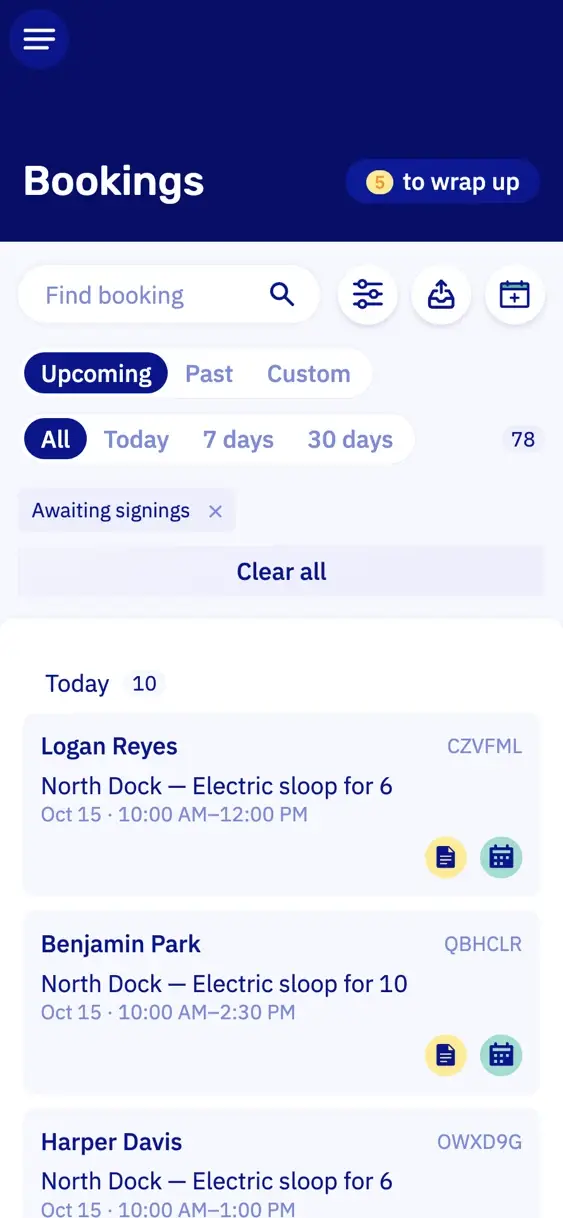
Waivers and listsSigned, and what to hand over.
Sales insightsWhat you sold, per period.
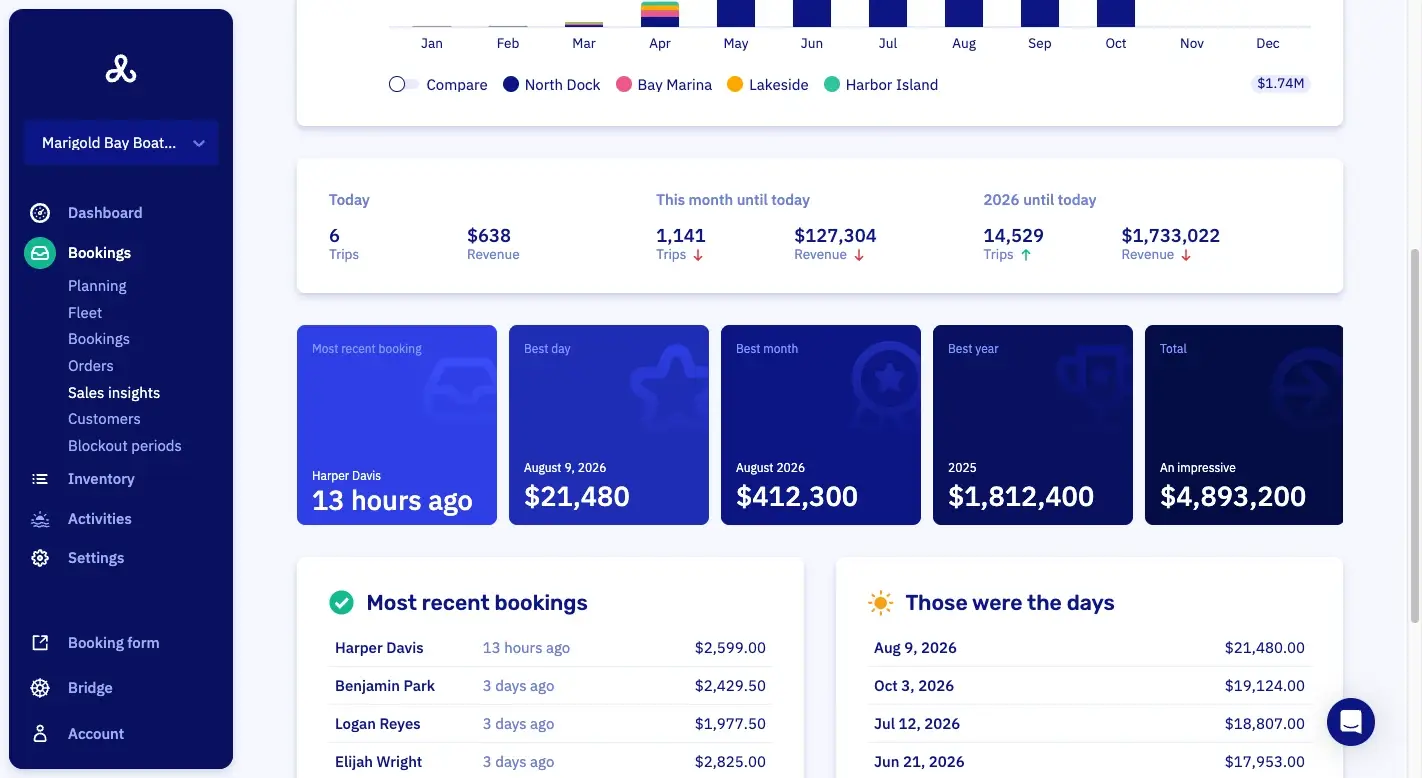
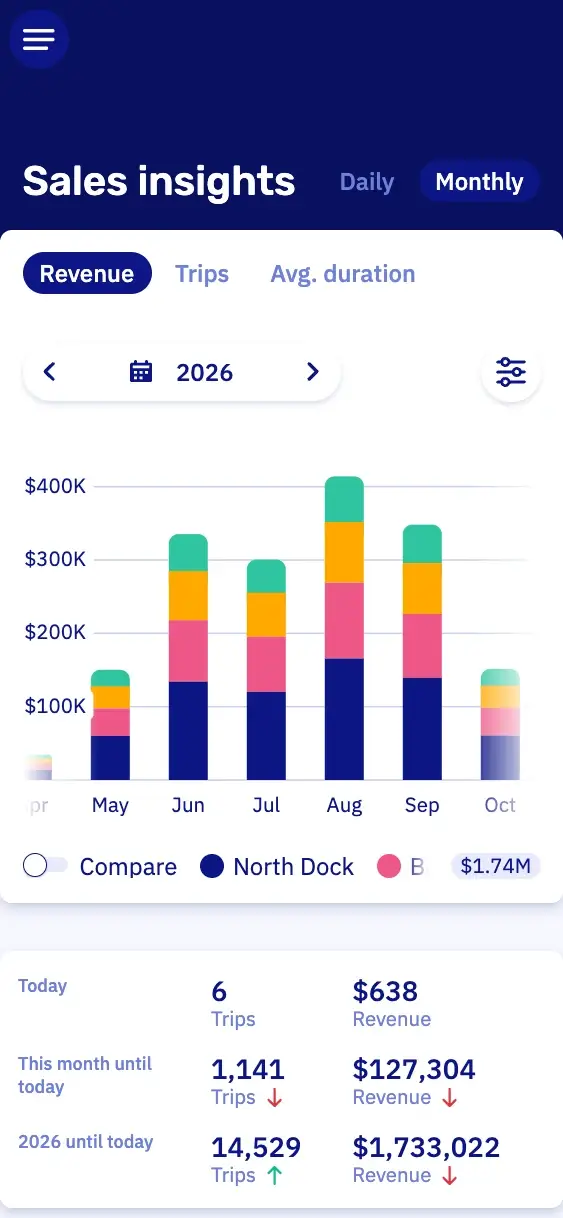
Boat rental scheduling on one screen.
General tour software plans per tour, Let's Book plans per boat. When a boat is out on a tour, nobody can rent it for that time. A booking you take over the phone or at the desk shows up here too. At the dock, you open the same planning on your phone or tablet.
What's free, per boat model
Each boat model has its own bar, green while something is free and red when it's full. When someone calls, you have the answer right away.
How many boats are free
Open the bar to see the count. With two of four boats at the yard, it shows two free.
A booking without opening it
Point at a trip and you see its add-ons, its labels and whether the waiver is signed.
Buffer time on the planning
The prep time before each trip and the buffer after it show on the planning. Nobody can book the boat then, so there's time to hose it down.
Set buffer times, departure caps and closed periods.
Set how long a boat needs between two trips for each rental or trip, and how many boats can leave a dock at the same time. Then nobody can book online what your dock can't handle.
Buffer time per time slot
Set prep time before a trip, a buffer after it, or both. So you get fifteen minutes to hose down the small motorboat and two hours to ready the charter.
Buffer time on a single booking
Change the buffer time on one booking only. That gives you extra time to clean up after a barbecue on board.
How many boats leave at once
Want to limit how many boats go out or come back at once? Set it per dock, and the cap counts at each pickup time and each return time.
Count bookings or boats
You choose whether the cap counts bookings or boats. A group with three boats then counts as one or as three.
Close a dock or a boat model
Close one dock for a regatta weekend, one boat model for the winter, or everything at once. It shows as a striped bar with its own name.
Hold boats back for the desk
Hold back two of your six electric boats for people who walk up on a sunny afternoon. The booking form then offers four.
Several docks and time zones on one planning.
All your docks are on the same planning, in another country too, each in its own time zone. A second dock costs nothing extra.
Different rentals and trips per dock
Each dock sells its own rentals and trips, each with its own hours, rates, payment rules and waivers. One dock rents by the hour, the other sells fixed departures.
Move a boat
Send an electric boat to your other dock for the summer with a planned move. Until that day it's bookable at the old dock, and from then on at the new one.
Out of service for maintenance
Take the boat out of service when it goes to the yard. When it's ready, put it back at its dock from that day, and it's bookable again.
Which boats are at a dock
A dock page shows the boats there today and on any other day. So you know what you have before you promise a group anything.
Access per location
Give your summer help one dock and your manager all of them, including the docks you add later.


Unsigned waivers and today's picking list.
Before the first group arrives, you know who still has to sign and which add-ons to pack. Both lists come straight from the bookings, so you don't make them by hand.

Waivers
18 of 21 signed
Who still has to sign
Filter the booking list on waivers that aren't signed yet. Anyone who didn't sign at home scans a QR code at the dock and signs there.

Filled in from the booking
name, date, boat model and dock
The waiver is already filled in
Let's Book fills in the name, date, boat model and dock from the booking, through the WaiverForever integration. Your customer signs at home on the couch, with nothing to retype.

At the dock
Signed by QR code
Sign at the dock
A customer who didn't sign at home scans a QR code with their own phone. Or your staff open the waiver for them, right there.

Add-ons today
6 coolers, 2 crates
A picking list for the dock
Print the day's add-on orders per dock, boat model or product. Each one shows the customer and the pickup time, so everything's ready before the guests arrive.
Flagged
Returned late, fuel low
Flag a booking for follow-up
Does a booking still need someone to look at it? Flag it for follow-up and add the reason. Your colleague sees the flag on the planning, in the booking list and in the booking itself.
Pick the boat at handout.
When your customer picks a boat model as they book, they book that model, not a set boat. If you have more boats of that model, you decide at handout which one goes out. With a connected fleet, your customer picks from the boats at the dock themselves.
Assign from the fleet view
Pick a free boat in the fleet view, then choose its booking from the list. Handy at the dock, with the boat right in front of you.
Assign from the booking
Open the booking and pick a boat for it. Handy at the desk, when the customer has just walked in.
The fleet view shows who's out
In the fleet view, you see who is in which boat and what time to expect them back.

Swap the boat or pause a running trip.
If something goes wrong with a boat on the water, you move the trip to another boat and the group carries on. Afterwards you see exactly what happened.
Swap the boat mid-trip
The trip moves to another boat and keeps its booking and paperwork. You don't make a new booking.
Pause a running rental
On a boat you start remotely, you pause the trip for lunch or to refuel. The pause counts as rental time, so the return time stays the same.
Late return warnings
When a boat is late back, the minutes of delay show in red on its bar and in the fleet view.
Everything that changed
The booking timeline shows who changed what, and when. When a customer says someone promised them an extra hour, you can check.
Override mode for your staff
Your customers book within your rules, but you and your staff can override them when you need to. Let's Book then asks you to check the price.
Close the dock early on a wet Tuesday.
When rain is forecast all afternoon, you block that afternoon. You can block all your docks at once, or only the docks, boat models or number of boats you choose. The reason shows on the planning.
Wrap up bookings after the trip.
Trips that are over but still need something get a screen of their own. There, a few clicks settle the balance, handle a cancellation or return a security deposit.
Return deposits in batch
Select every booking where nothing's wrong and return their deposits in one go. Before you confirm, you see how many refunds go out and the total.
Cancellations and late returns flag themselves
A canceled booking often still needs wrapping up: the deposit back, a balance settled or a cancellation fee charged. When a boat comes back later than the limit you set, you may charge the extra time or check the boat. With the two rules on, both land flagged on the wrap-up list by themselves.
End-of-day counter on the dashboard
The dashboard counts the bookings from the last two weeks that still need something. When it hits zero, you're done for the day.
Features for planning, fleet and waivers.
Click a feature to read about it in the full list, with a link to the manual.
- Capacity view per time slotThe capacity view shows how full each time slot is.
- Take a boat out of service for maintenanceA boat is taken out of service for maintenance and stops being bookable.
- Digital waivers and rental contractsCustomers sign waivers and rental contracts in WaiverForever, on your own account, at home or at the dock. You pay WaiverForever for that account.
- Buffer time shown on the scheduleBuffer time is drawn on the timeline, so the gap between two rentals is visible.
- Assign the boat at handoutThe individual boat is picked at handout, shortly before departure, instead of when the booking is made.
- Waivers arrive prefilledA waiver arrives with the booking and customer details already filled in.
Questions about planning, boats and docks.
Can I drag a booking to another time?
No, in Let's Book you move a booking from the booking itself, not on the planning. Open it, click Edit booking, pick the new time and save. The price can change with it.
Which boat does a customer actually book?
When your customer books a boat model, you pick the actual boat at handout, shortly before departure, from the fleet view or from the booking. So one boat can go in for repair while the weekend bookings stay as they are. With a connected fleet, your customer picks from the boats at the dock.
What happens when a boat comes back late?
Let's Book shows the delay in red on the planning bar, and a red dot on that boat in the fleet view. Nothing is sent to the customer automatically. With the rule switched on, the booking also gets a flag. That helps when you keep back part of the deposit.
Can I run two docks in different countries?
Yes, Let's Book puts docks in different countries on one planning. Each dock takes its time zone from its address, so every hour shows in local time.
Can I see the bookings in my own calendar?
Yes. A calendar feed puts the bookings in Google Calendar, Apple Calendar or Outlook.
Can staff book something the rules would refuse?
Yes, with override mode in Let's Book. Your staff can book a pickup time, a duration or a boat that the online rules wouldn't allow. The bar then turns yellow and asks them to check the price.
Where do the waivers come from?
The waivers come from your own WaiverForever account, which you connect to Let's Book. Let's Book fills in what it knows from the booking, picks the right waiver for what was booked, and tracks who has signed.
Can I schedule my skippers in Let's Book?
No, Let's Book doesn't schedule crew or keep your skippers' calendars. Your customer books a skipper as an add-on, so every booking shows whether it needs one.
Will my existing bookings be on the planning too?
Yes, and you don't have to do it alone. We move your existing bookings over with you, free, so what you've already sold is on your planning from day one.
Get started with your planning.
In a half-hour video call, we show you Let's Book with your own boats already in it, if you send us your website. No strings attached.