City cruise boats
Canal cruise booking software.
Take groups out with a skipper at the helm and a package on board? Then they book the boat, the cruise time and the package in one go, and pay right away. For one boat or a whole fleet.


Let's Book handles the bookings, planning and payments for your cruises.
- Online booking form
- Guests book on your own site, in ten languages. While they pay, nobody else can book their boat.
- Pricing and availability
- You sell the whole boat per cruise, with its own price per cruise length and per season.
- Payments and security deposits
- With Stripe, guests pay the way they're used to at home. The money goes to your own account.
- Planning and daily operations
- You see every cruise and every boat on one planning. Do you also rent out boats by the hour? Those rentals sit right alongside.
- Customer messages
- Guests get a confirmation email automatically. You choose whether reminders go out by email and text, and whether an email after the trip asks for a review.
- Add-ons and promotions
- Earn more on every cruise: sell packages per person, like drinks and bites, lunch or dinner on board.
Book a canal cruise with a package online.
A company picks a day, a departure time and how long they cruise, and adds drinks and bites for twenty people. They pay right away, and you see the booking and the order on your planning.





At a glance.
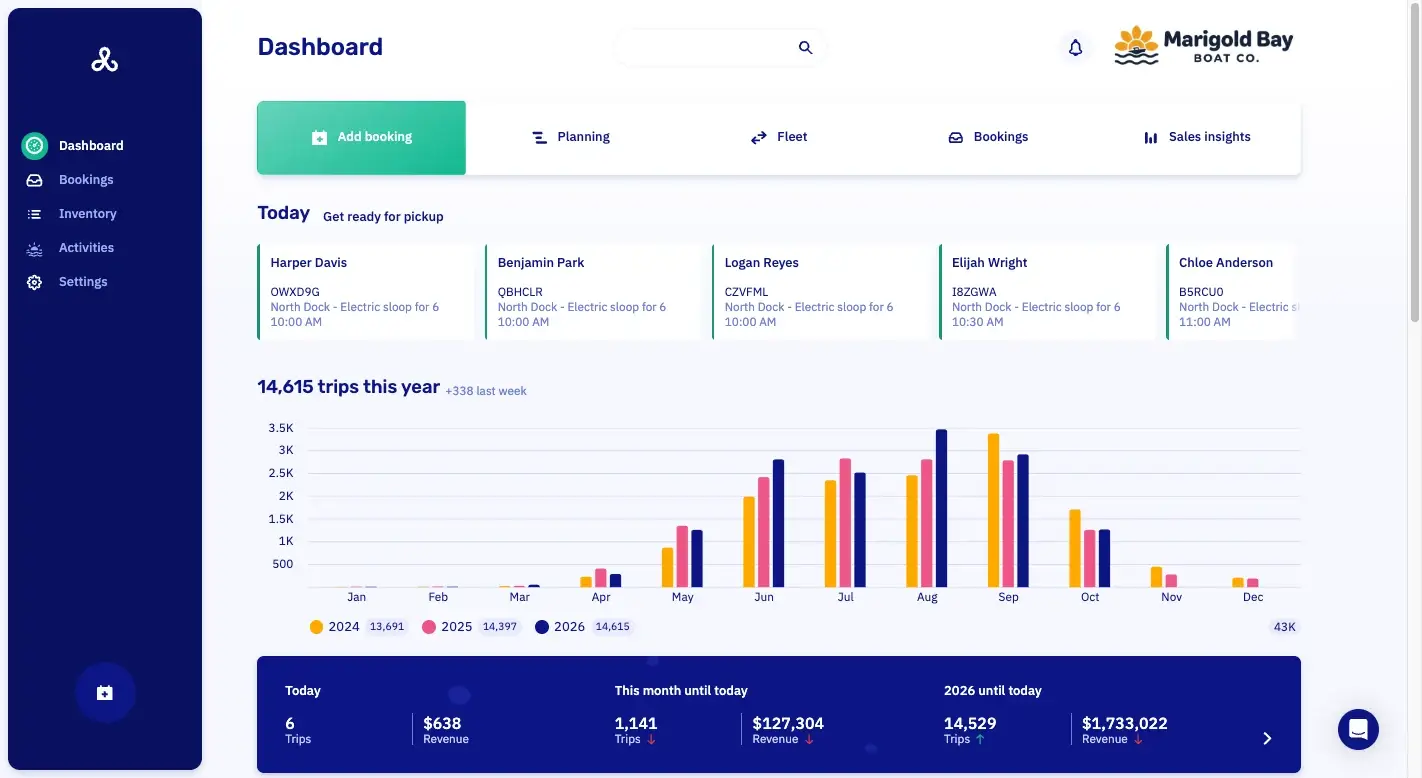
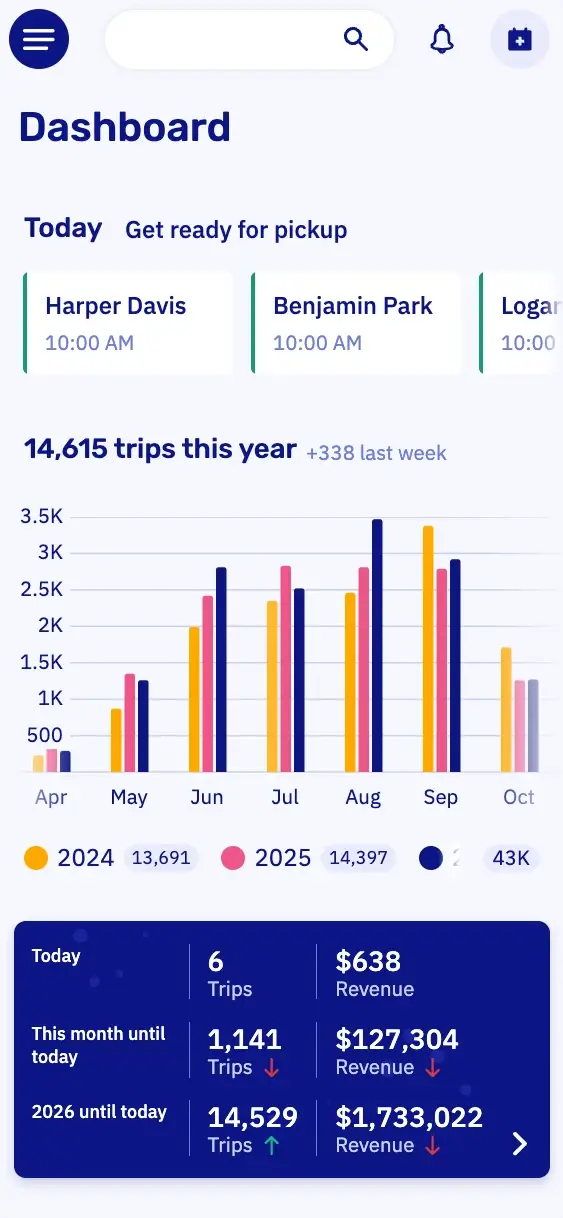
DashboardYour whole business in one view.
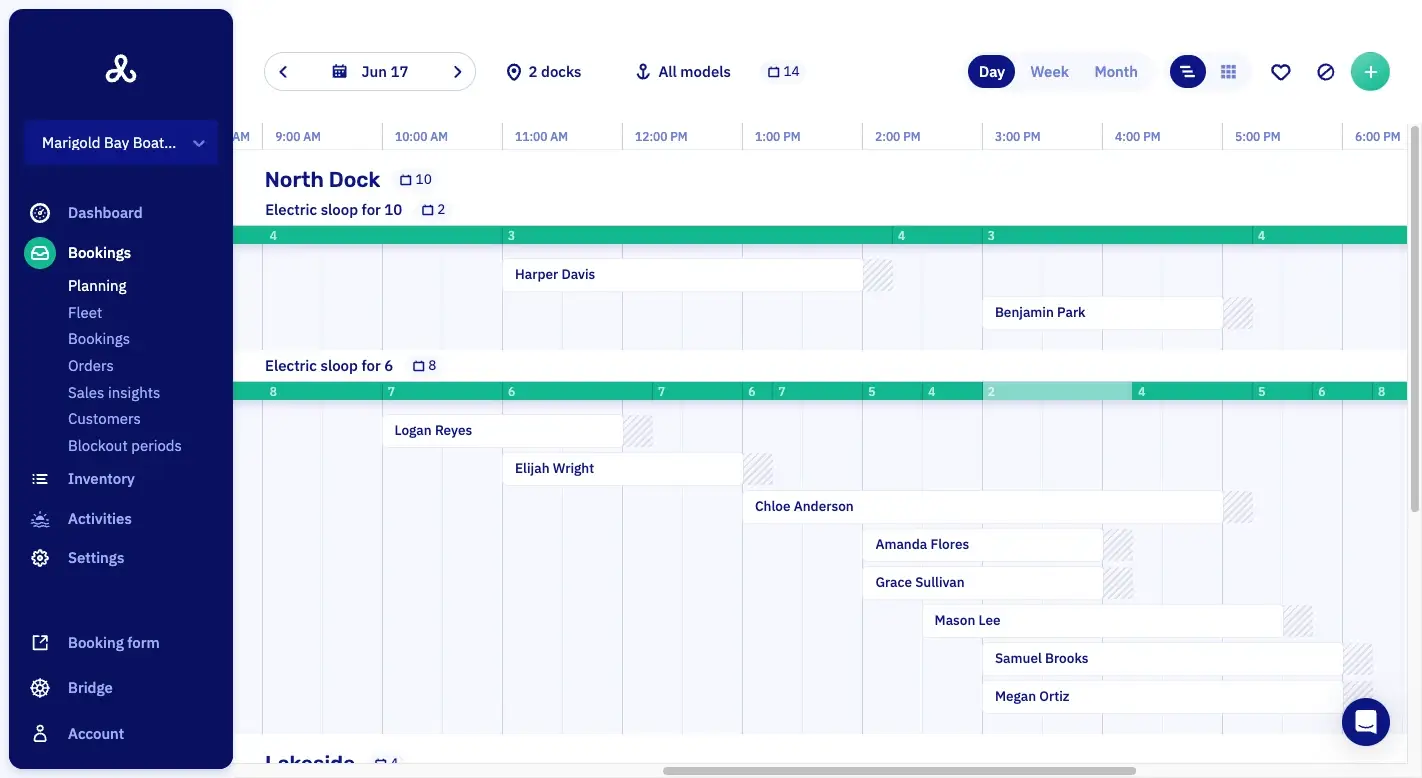
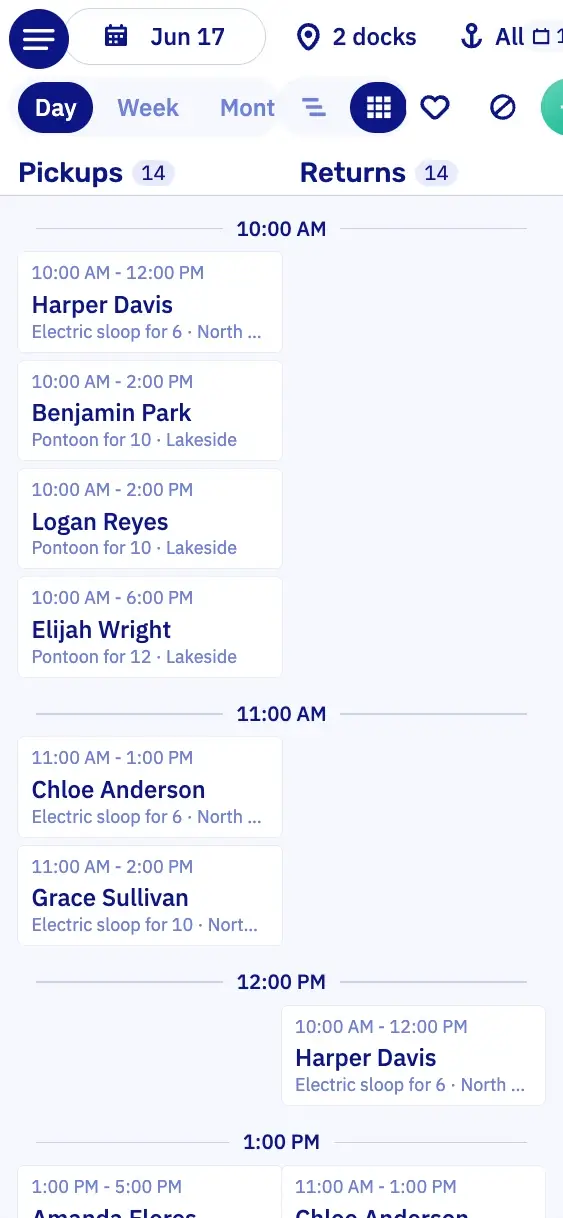
PlanningWhich boat is out when, per dock.
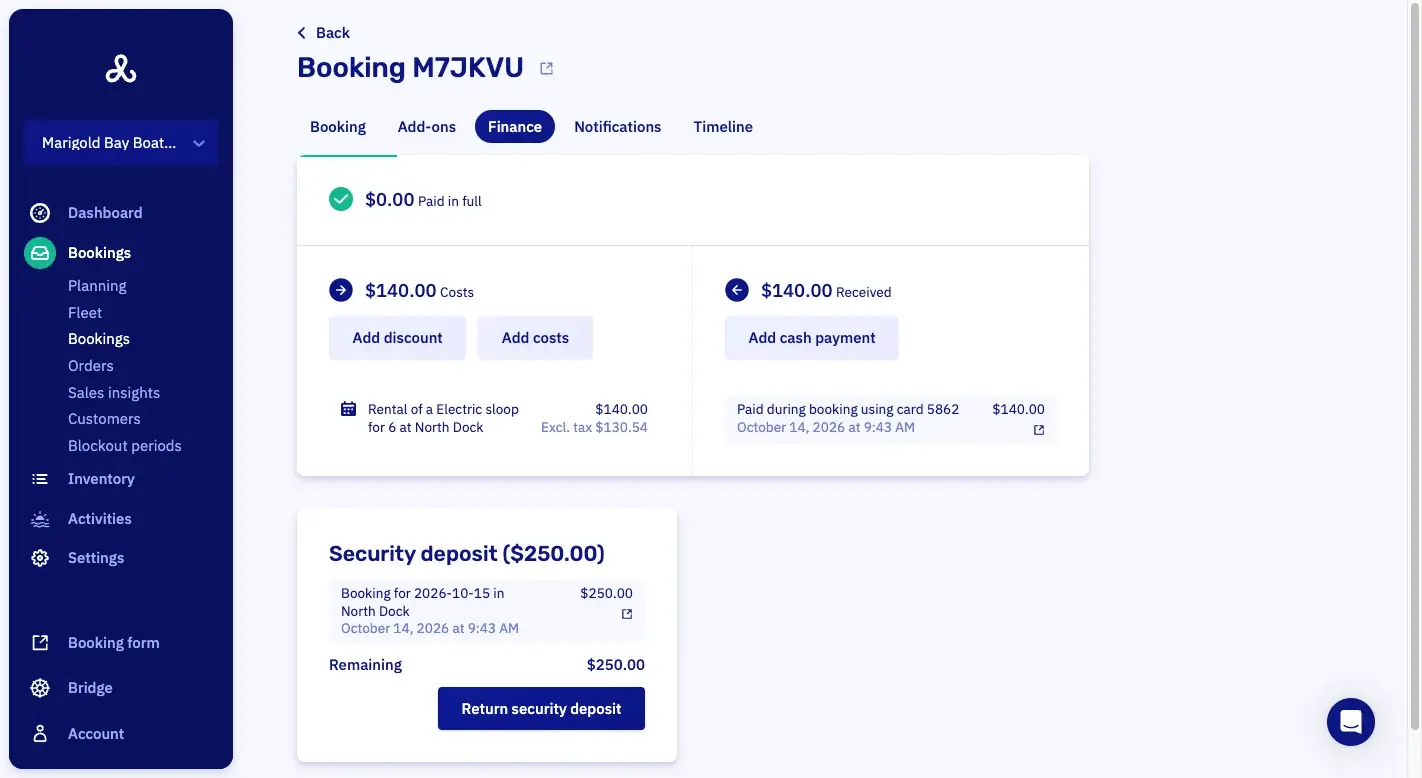
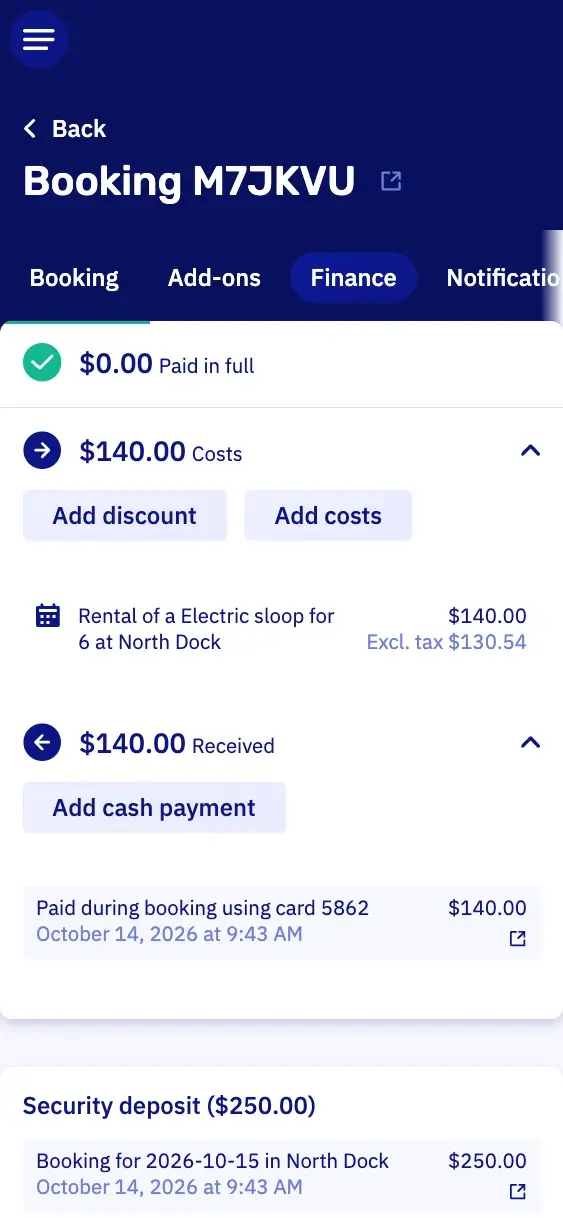
PaymentsWhat's paid, and what's still open.
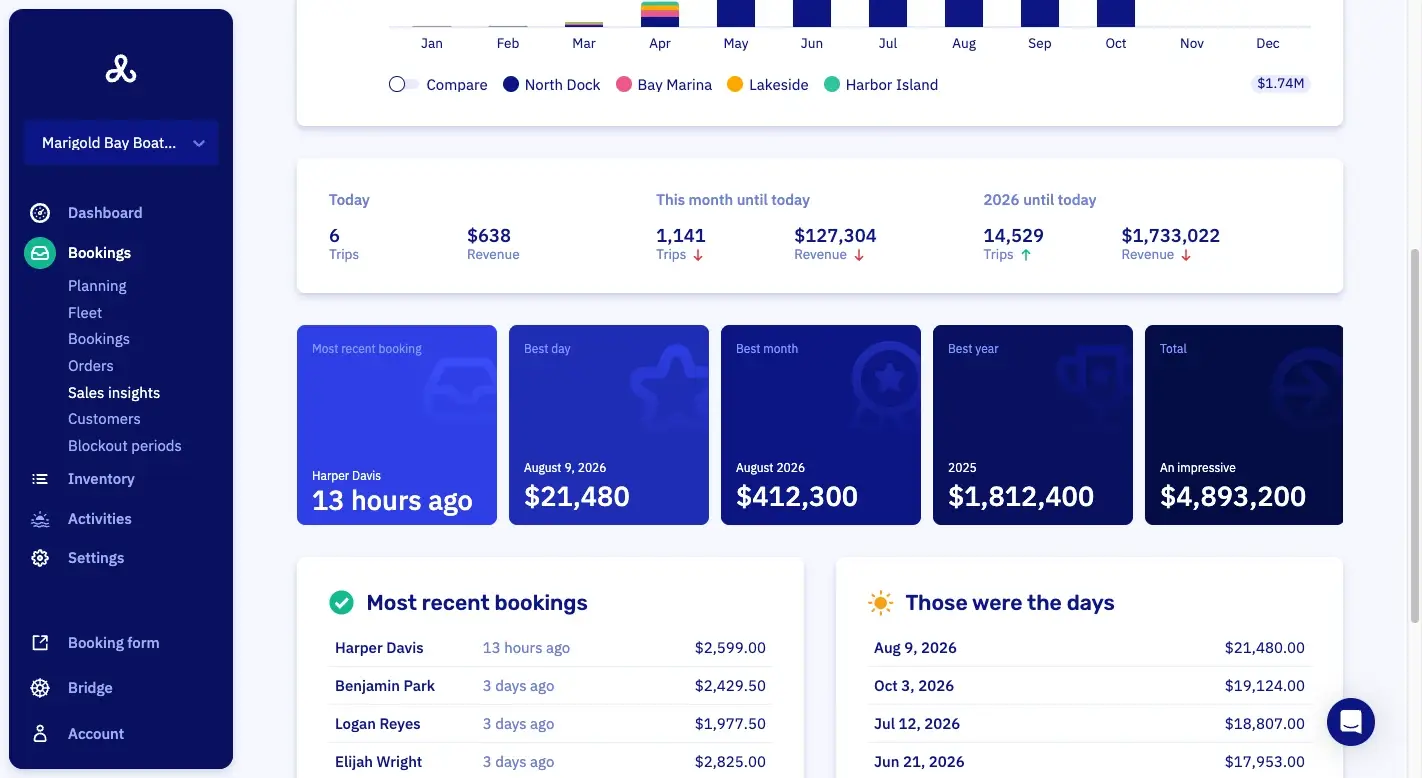
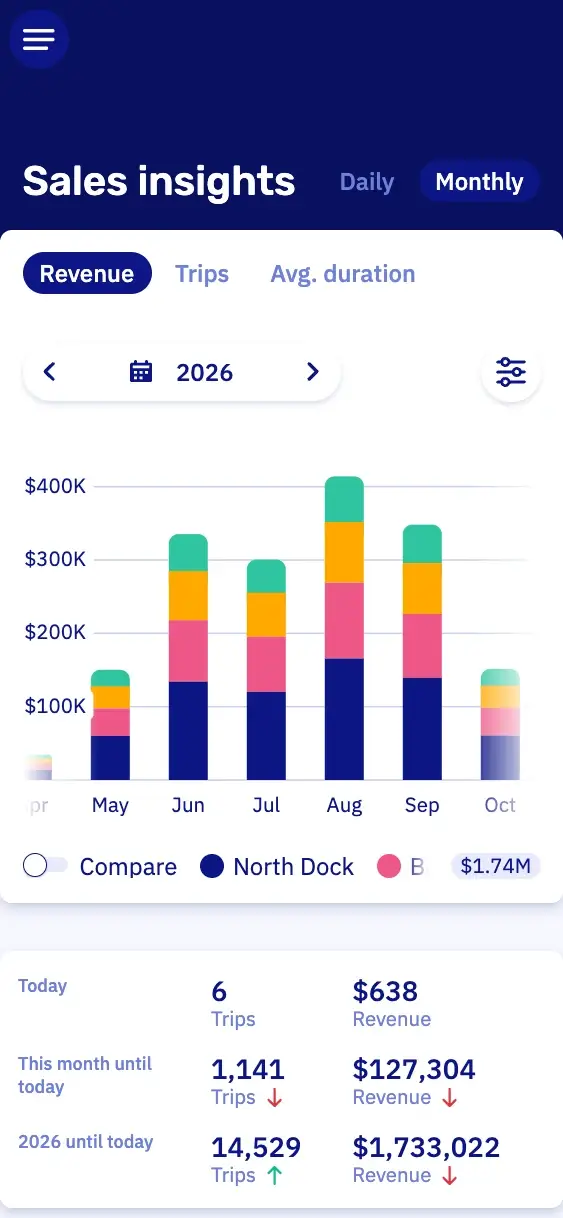
Sales insightsWhat you sold, over any period you pick.
Packages with every cruise.
You sell the cruise and the food and drink on board in one booking. So you know at booking what has to come along, and the group pays for it all at once.
A price per person
Drinks and bites, lunch or dinner you charge per person, a drinks package per hour. Twenty people coming? Then the form charges for twenty.
An order list for the caterer
You see what was ordered for each cruise, and you can export the list to Excel. So the caterer knows how many platters to bring.
Only when it fits
You decide when a package can be booked. A barbecue in summer, a hearty stew in winter.

Cruise times, prices and seasons.
You decide how long a cruise lasts, when it can leave and what it costs, per season. Read how tours & tickets work in Let's Book.
Cruise times with their own price
You sell the whole boat per cruise: an hour and a half, two hours or an afternoon, each at a fixed price. Prefer an hourly rate? That works too.
A winter rate
You set the summer and winter prices ahead, each with the date it starts. So a cruise costs less in January than in July, without anyone changing a rate on November 1.
Time between two groups
You set how long the boat needs before the next group. So your skipper has time to clear up and set the tables.
Fixed departure times if you have them
Do you also run at set times? They go on the same planning, with a lunch break for the crew if you want one.
Minimum notice for online bookings
You set how long before departure a guest can still book online. So nobody can book the six o'clock departure at ten to six.
Partner bookings from hotels and tourist offices.
A hotel guest asks at the front desk what to do this afternoon. With a booking link of its own, the desk books your three o'clock cruise. That booking lands on the same planning as your own.
Partner links with their own rates
A hotel or tourist office books through its own link, at the rates you set for them. Every booking on that link counts toward that partner.
Filter and export bookings by partner
At the end of the month, you filter the bookings by partner and export them to Excel. So you work out the commission without digging through your email.
Ticket sales per seat are still being built.
We're building ticket sales per seat into Let's Book. Until then, you sell each departure as a whole boat at a fixed price.
Prepare every departure in your dashboard.
In your dashboard you see which boat is ready, who's coming and whether they got the reminder. So you know it all well ahead of time.
The fleet view shows who's out
You see which boat is out, which is back and which is running late. So you know at once which boat can take the next departure.
Your own questions at checkout
You ask at checkout how many children are coming. The answer stays on the booking, so the crew has enough small life jackets ready.
Text reminders before departure
You decide whether guests get a text: the day before and again 15 minutes before departure. The message log shows which message didn't arrive, so you can send it again.
Access per location
Your team member at the dock sees only that dock's bookings, and not your sales figures.

Pricing
No setup fee, no minimum term, cancel by the month.
Per month
Standard
$30€25
plus 2.5% of each bookingplus 2.5% of each booking
Pro
$175€150
plus 1% of each bookingplus 1% of each booking
Excl. VAT · SMS about $0.12 · Stripe or Mollie charge their own feesExcl. VAT · SMS €0.10 · Stripe or Mollie charge their own fees
- All features, no upsells
- Free onboarding and support
- Free help switching to Let's Book
- Unlimited boats, users and locations
Questions about canal cruise booking software.
Can walk-up guests pay for a canal cruise at the dock?
Yes, your staff enter the booking in Let's Book, and the guest pays by card at the counter. The card readers come from Mollie or Stripe. You pick the docks for each reader. With Mollie, Tap to Pay also takes the card on your own phone.
Can a school or company group get its own price for a cruise?
Yes, in Let's Book you make a customer type for schools or companies, with prices of its own. Once a school has that customer type, it books its class trip at the school price. A customer type can also have its own booking rules and cancellation policy.
How do I see which cruise departures are full?
The capacity view in Let's Book shows how full each time slot is. So you see which departures still have a boat free, and what you can still offer someone at the dock.
Can I move or cancel a cruise?
Yes, with high winds, bad weather or a skipper out sick, you move the cruise to another day or time. If that doesn't work, you cancel the booking. Let's Book sends the person who booked an email with what changed. You refund a cancellation from the booking, in full or minus the cancellation fee.
Can a company pay afterwards?
Yes, you make a customer type for companies that may book without paying up front. You send the invoice afterwards, the way you agreed with that company.
Can I sell scheduled departures next to private cruises?
Yes, in Let's Book scheduled departures sit on the same planning as your private cruises. So you see which boat is free before you say yes. Taking a booking by phone? Then the customer gets a confirmation with a payment link and a due date.
Does Let's Book send my cruises to GetYourGuide or Viator?
Not yet. We're building a channel manager, so your cruises will soon be on GetYourGuide and Viator too. Until then, a hotel or tourist office can book your cruises through its own link. It books at the rates you set, and the booking lands on your planning.
How do I get my GetYourGuide and Viator bookings into Let's Book?
You add a cruise booked on GetYourGuide or Viator to your Let's Book planning by hand. Or you connect GetYourGuide and Viator yourself through the Let's Book API, so those bookings come in on their own.
Can I switch from FareHarbor in the middle of the season?
Yes, you can switch mid-season, and you don't have to do it alone. We help you move your FareHarbor bookings over for free, so every departure is on one planning from day one. Tickets per seat are coming soon, so for now each booking takes a whole boat.
Get started with your canal cruises.
In a half-hour video call, we show you Let's Book with your own boats already in it, if you send us your website. No strings attached.