Coming from a spreadsheet
Spreadsheet vs booking software like Let's Book.
A spreadsheet is free, and everybody in your business can read it. With Let's Book, your customers book and pay on your own site, and every boat is on one planning.
No setup fee, no minimum term.

Spreadsheet vs booking software, side by side.
A booking request
A spreadsheet
A Google Form can write each request straight into a linked sheet, so nobody retypes it. The sheet can't hold the boat for that customer.
Let's Book
Your customer books and pays on your site, even at eleven at night. While they pay, nobody else can book that boat.
Two people at once
A spreadsheet
Microsoft says the later save is the one that stands. In the Excel app on a computer, working in one file together needs a Microsoft 365 subscription. The file also has to be in OneDrive or SharePoint. One person on an Excel without co-authoring locks everybody else out.
Let's Book
Your whole team works in Let's Book at the same time, each with their own login. When two people change the same booking at once, the last save counts. A customer can't book a boat that's already taken or being paid for. When their time is full, the booking form offers other times or another boat.
Confirmations
A spreadsheet
Google Sheets can email you when someone changes the sheet or fills in a form. A script that sends mail stops at 100 recipients a day on gmail.com, or 1,500 on Workspace.
Let's Book
Let's Book sends the confirmation on both plans. It can also send a reminder the day before and a follow-up after the trip. When an email didn't arrive in the last 48 hours, you see a warning on your dashboard. A filter in the bookings overview shows those bookings. A text message costs about $0.12.
The deposit
A spreadsheet
A column can say a deposit is out. It can't take the deposit, hold it or return part of it.
Let's Book
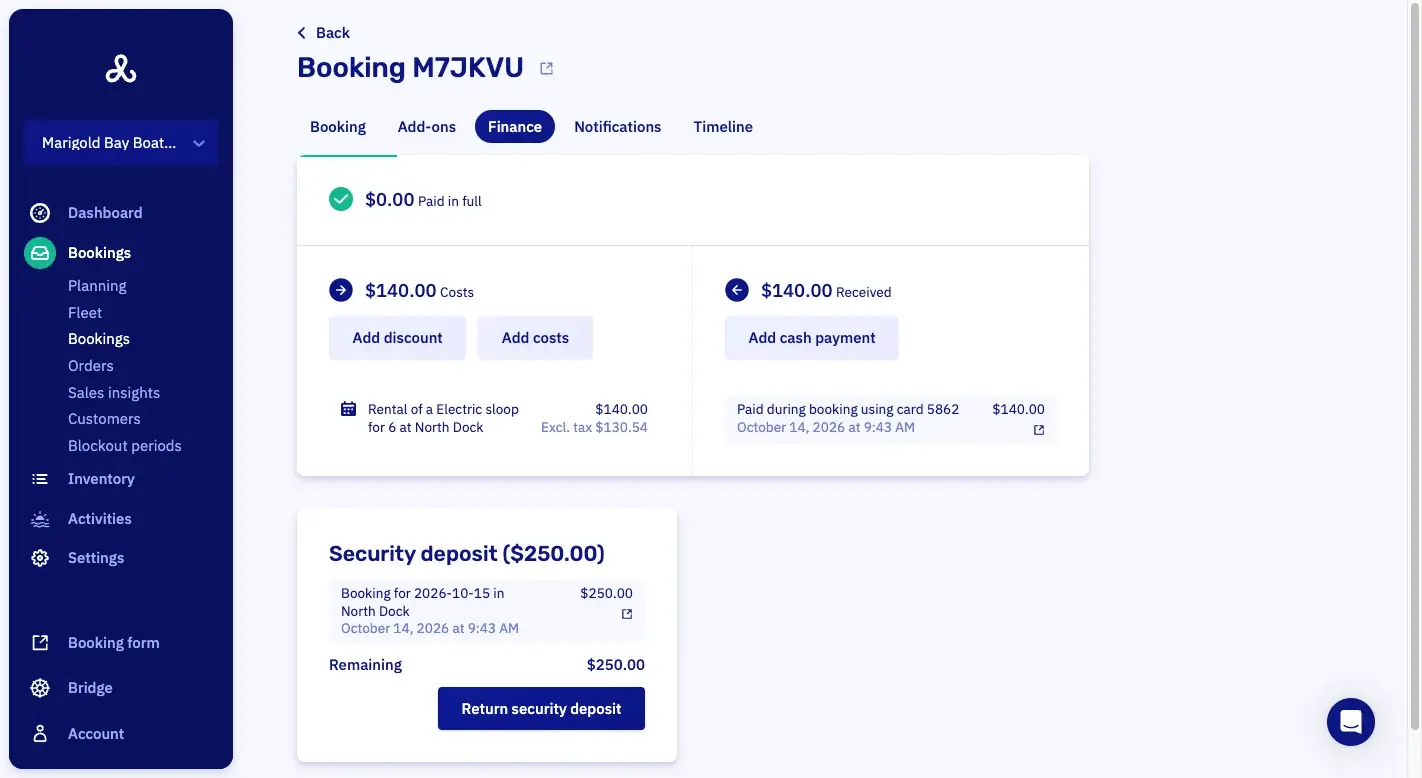
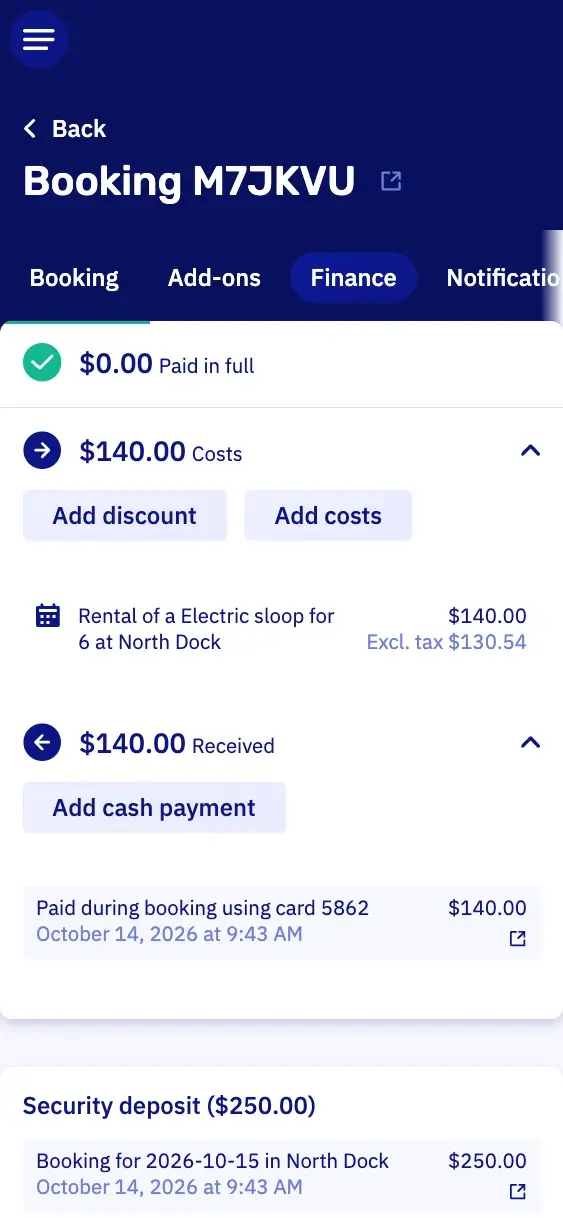
Do you work with a security deposit? Then your customer pays it when they book or with the balance. You keep back what you need line by line. You return a whole day's deposits at once.
Who sees what
A spreadsheet
Google Drive shares a whole file as Viewer, Commenter or Editor, and no level hides one column from one person. Google's help page says protecting a range isn't a security measure.
Let's Book
With roles, you decide who sees what. Your dock host sees the day and hands boats over, but not the revenue.
Who changed what
A spreadsheet
Google Sheets shows the version history only to editors, so whoever reads it can also change the file. Excel keeps versions for files in OneDrive or SharePoint, 25 of them on a personal account.
Let's Book
On every booking, you see who changed what, and when.
Price
A spreadsheet
Sheets is free with a Google account, and Google says some features need a paid Workspace plan. Workspace lists at €6.80, €13.60 and €21.10 per user per month, with Enterprise on request. Google also lists a 12-month introductory rate, and 16 percent off for a one-year commitment.
Let's Book
Standard is $30 or €25 a month plus 2.5% of every booking. Pro is $175 or €150 a month plus 1%. Every feature is in both. On both plans, you add any number of users, so a new colleague costs nothing extra.
At a glance.
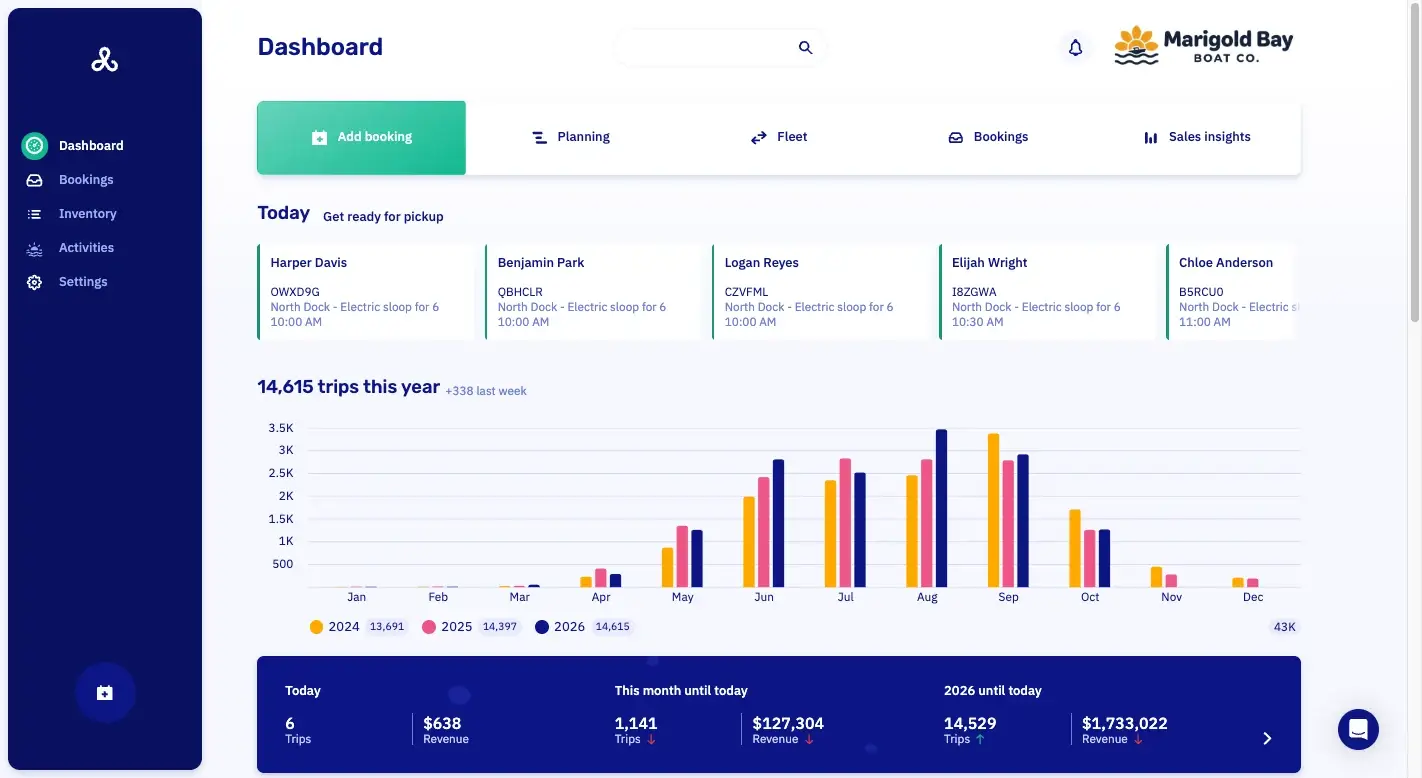
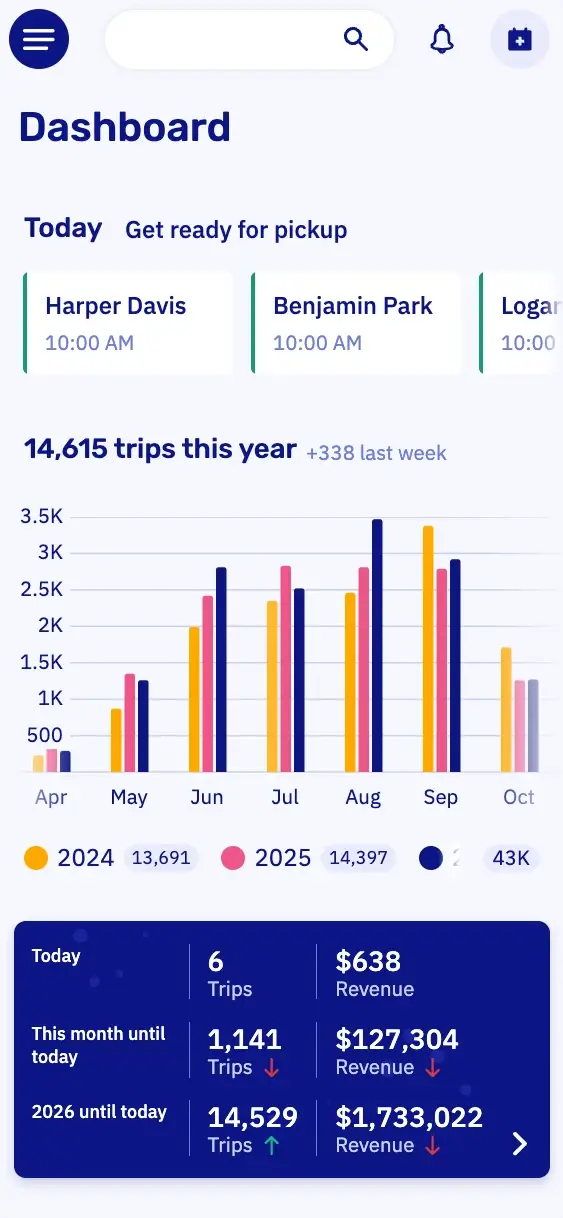
DashboardYour whole business in one view.
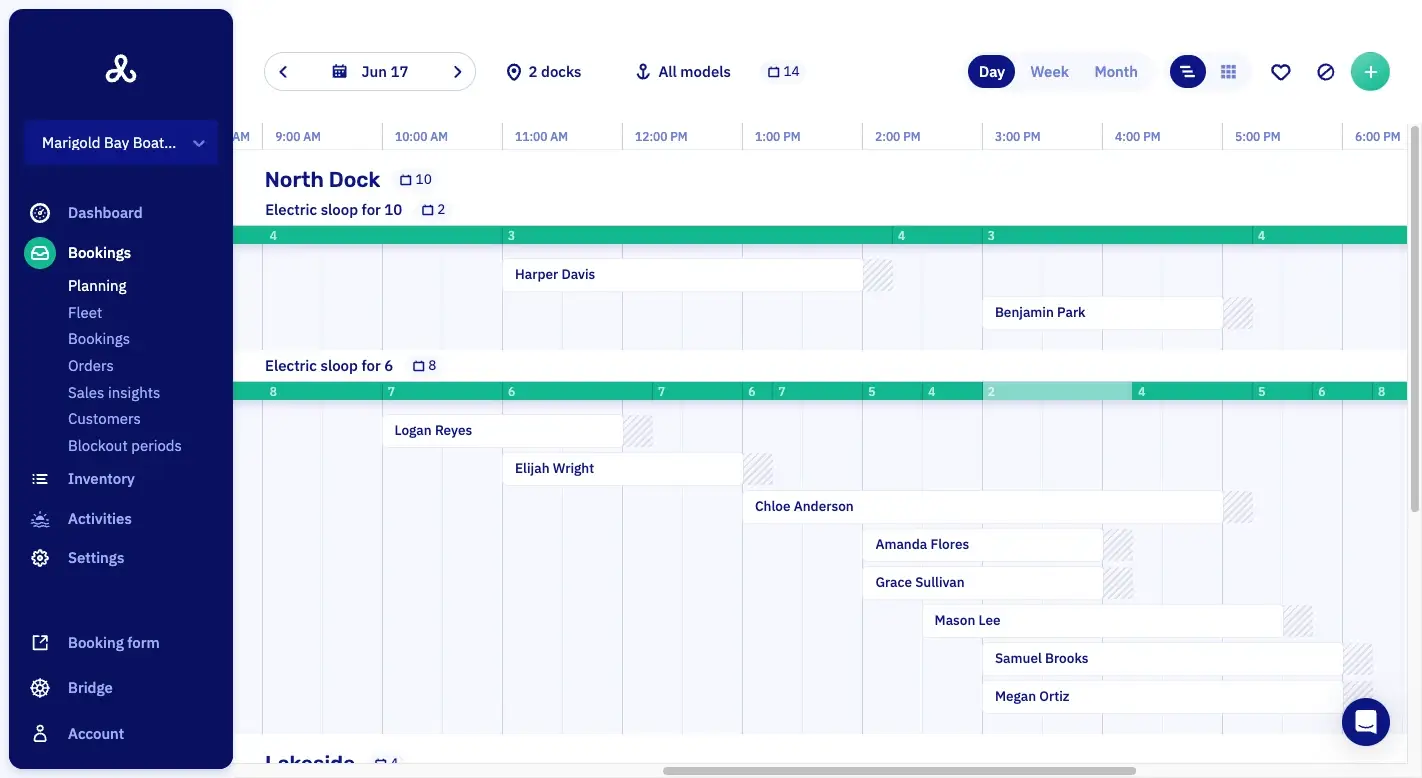
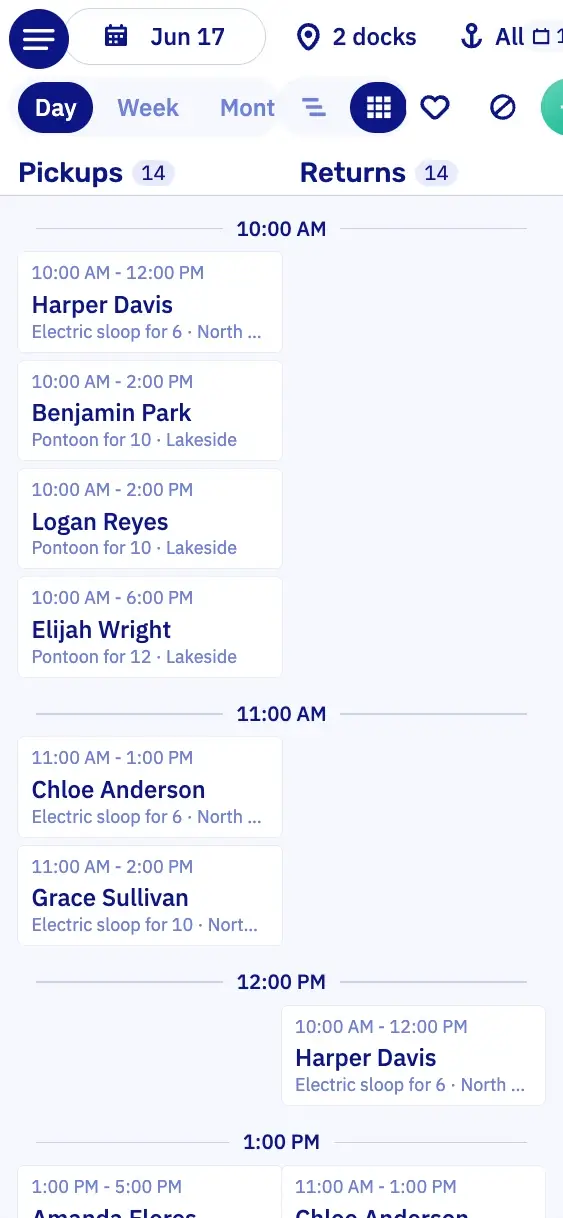
PlanningWhich boat is out when, per dock.
PaymentsWhat's paid, and what's still open.
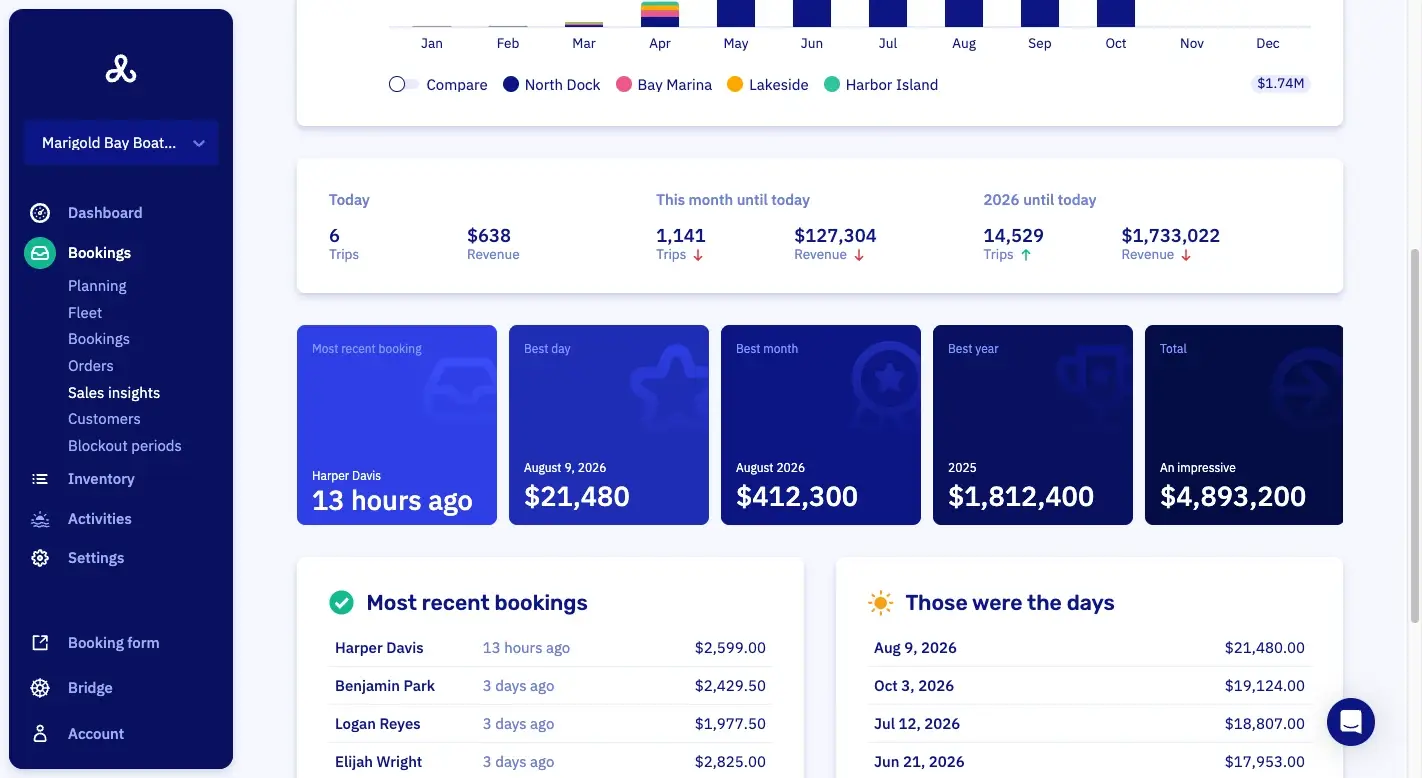
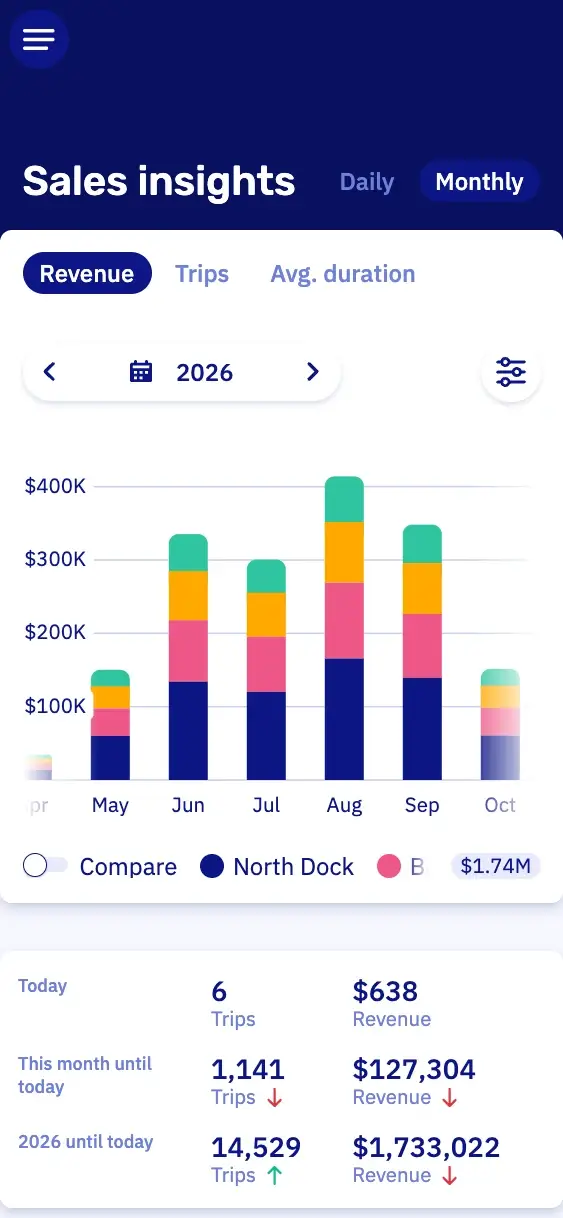
Sales insightsWhat you sold, over any period you pick.
What booking software does that a column can't.
Let's Book takes these jobs off whoever keeps the sheet today. So nobody has to watch for double bookings.

Held while they pay
15 min
Boats held during checkout
While a customer pays, nobody else can book their boat. By default, an unpaid boat goes back on sale after fifteen minutes.

Returned in one go
14 deposits
Security deposits taken, kept and returned
Do you work with a security deposit? Then the customer pays it with the booking, or later through a payment request. You keep back part of it line by line, and return a whole Saturday of deposits with one confirmation.
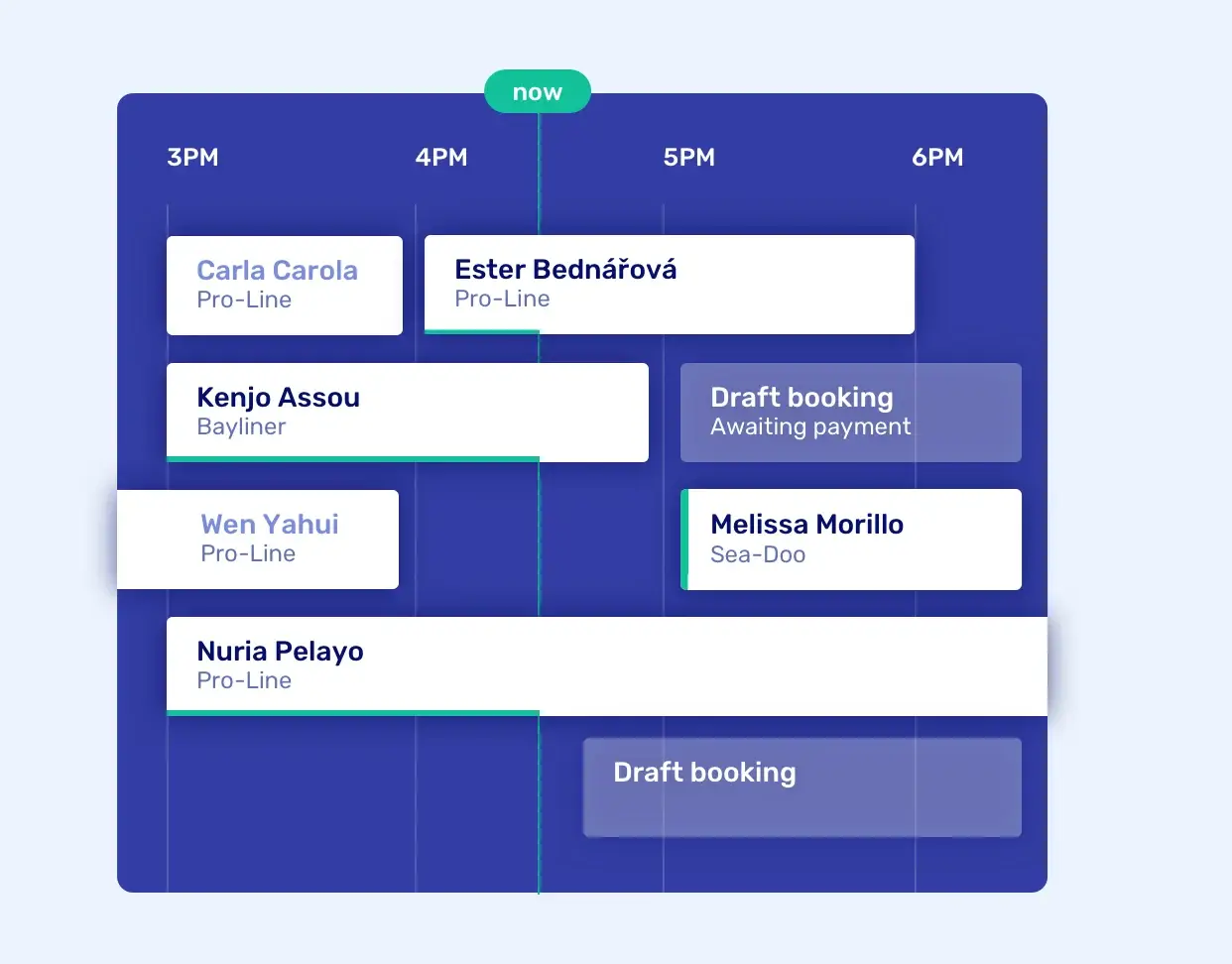
Docks and boats on one timeline
Rentals, tours and charters are on the same timeline, with their buffer time. When a boat is late back, you see the delay on its bar. Whoever fills in for you in August reads the timeline the way you do, without asking which tab is the real one.
Pricing
No setup fee, no minimum term, cancel by the month.
Per month
Standard
$30€25
plus 2.5% of each bookingplus 2.5% of each booking
Pro
$175€150
plus 1% of each bookingplus 1% of each booking
Excl. VAT · SMS about $0.12 · Stripe or Mollie charge their own feesExcl. VAT · SMS €0.10 · Stripe or Mollie charge their own fees
- All features, no upsells
- Free onboarding and support
- Free help switching to Let's Book
- Unlimited boats, users and locations
A spreadsheet has no monthly fee and takes nothing per booking. Some costs have no price tag, like the Saturday somebody spends fixing the sheet after a bad paste.
In euros, Standard is €25 a month plus 2.5%, and Pro is €150 a month plus 1%.
Move from your sheet in four steps.
No setup fee, no minimum term, and you cancel by the month. You don't have to do it alone.
01A half-hour video call
We show you Let's Book with your own boats already in it. There's no obligation.
02We set it up together
We set up Let's Book with you, for free. Your boats, docks and prices go in the way you sell today.
03We help you move your bookings
We move the bookings in your sheet over with you, for free. So the season you started in the spreadsheet carries on in Let's Book.
04You switch payments to live
You test the whole flow first, then switch payments from test to live yourself. You start paying for Let's Book from that day.

Booking software features in Let's Book.
These six come up on this page. Each one opens its line in the full list.
- Boats held while the customer checks outLet's Book holds the boat while the customer pays, so nobody else can book it. The customer gets fifteen minutes to pay by default, or the minutes, hours or days you set.
- The planning timelineThe planning shows every booking of the day on one timeline.
- Automated emails around every bookingEmails go out on their own when a booking is made, changed or canceled, and the day after the trip.
- Return deposits in batchThe deposits of several bookings are returned in one go.
- Built-in roles for a rental teamFour built-in roles cover the jobs in a rental team: administrator, operations manager, planner and dock host.
- Booking timeline (audit trail)The booking timeline records every change and who made it.
Questions from operators still on a spreadsheet.
Can I keep my spreadsheet as well?
Yes, you can keep your spreadsheet next to Let's Book for as long as you like. Bookings, add-on orders and discount codes all export to Excel. The sheet keeps working, but your Saturday no longer depends on it.
Is a spreadsheet cheaper than Let's Book?
A spreadsheet may well be cheaper, since it has no monthly fee and takes nothing per booking. The pricing page shows what Let's Book costs for your own year of bookings. For that amount, your customers book and pay on your own site.
What happens to the bookings I already have?
We move your bookings over to Let's Book with you, free of charge. So the season you started in the spreadsheet carries on. We work out how together. You give us access to the sheet, or you send it to us as an Excel file.
Can my dock host see the day without seeing the revenue?
Yes. Your dock host sees the planning and hands boats over, but not the sales figures. Every change carries a name and a time.
What if the internet is down at the dock?
Let's Book is a website, so you need a connection to hand over a boat from your phone. Before you leave the office, export the day's bookings to Excel and print them.
Book a half-hour demo.
We show you Let's Book and answer all your questions. Send us your website, and your boats and branding are already in it. No setup fee, no minimum term.
No setup fee, no minimum term, cancel by the month.