Security deposits
Security deposits for boat rentals, settled in one click.
Do you rent out boats and take a security deposit? Then you're in the right place. Collecting a deposit, settling costs and refunding are built into the rental software itself, tied to the booking and the payment. This page shows how that works, from the booking to the last balance.
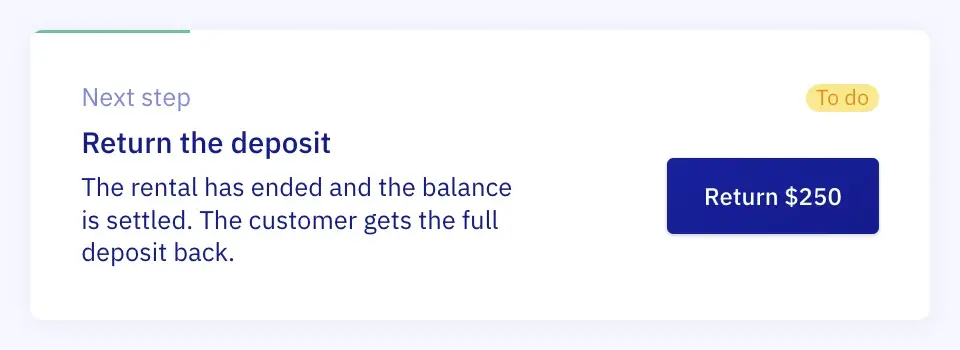
The booking says what to do next.
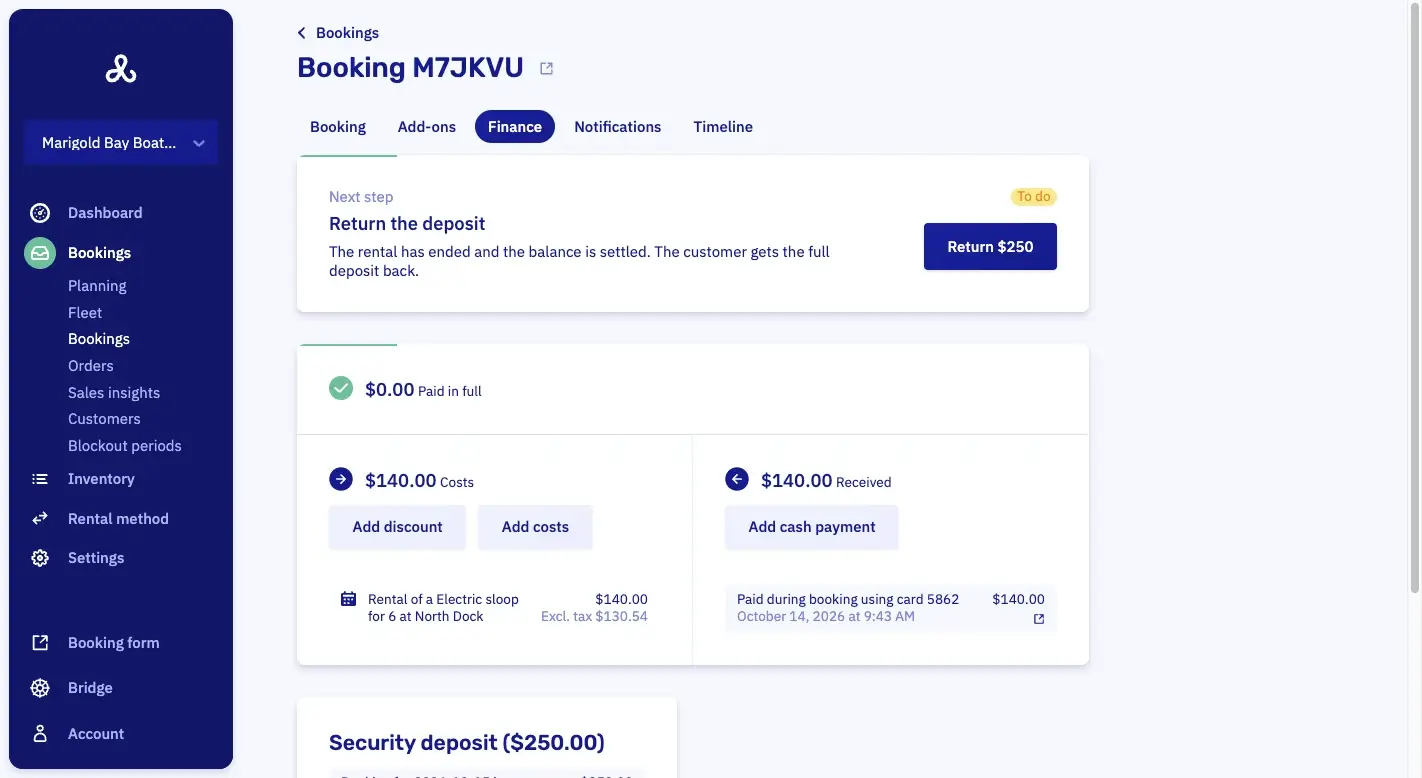
Once a trip is over, there's often still something to do with the money: the deposit back, an extra hour to collect, a cancellation to settle. In Let's Book you don't keep track of that yourself. At the top of every finished booking sits a card with the next step and the amount: one sentence says why, and the button does it. Add a cost or a discount to the booking first if something changed on the water, and the card follows. Once the money is flat, the card is gone. Deposit or not.
Next stepOn the booking, after the trip.
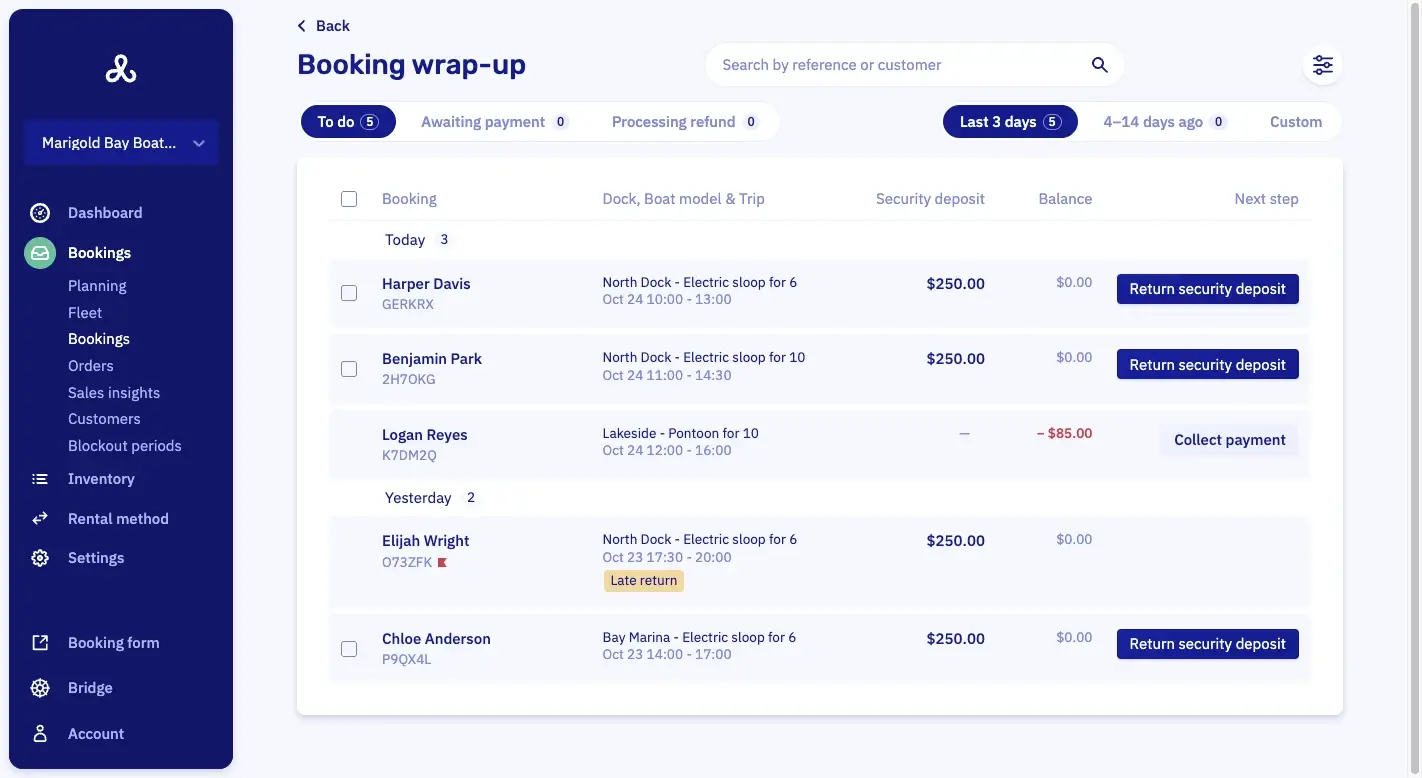
Wrap-upEvery finished booking that needs something.
SelectPick the ones that are ready.
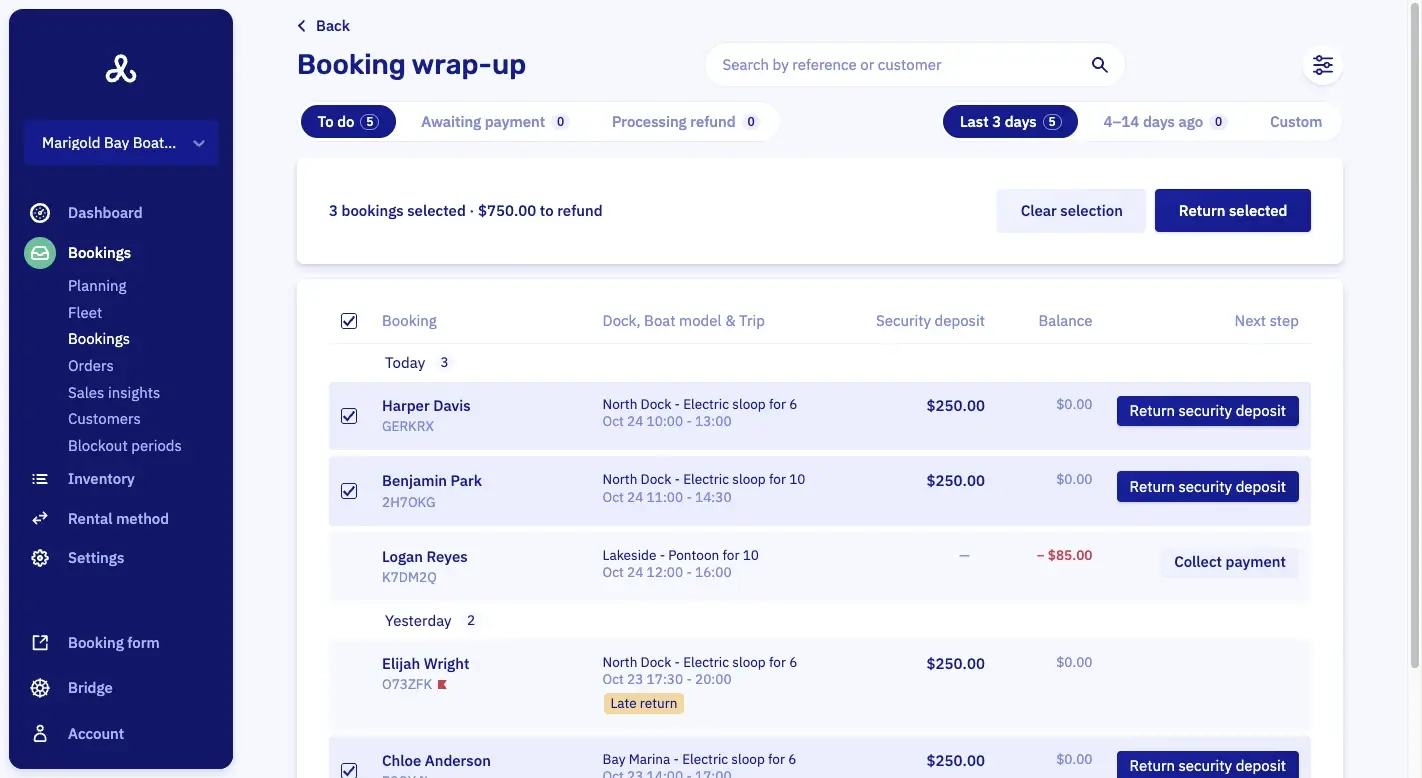
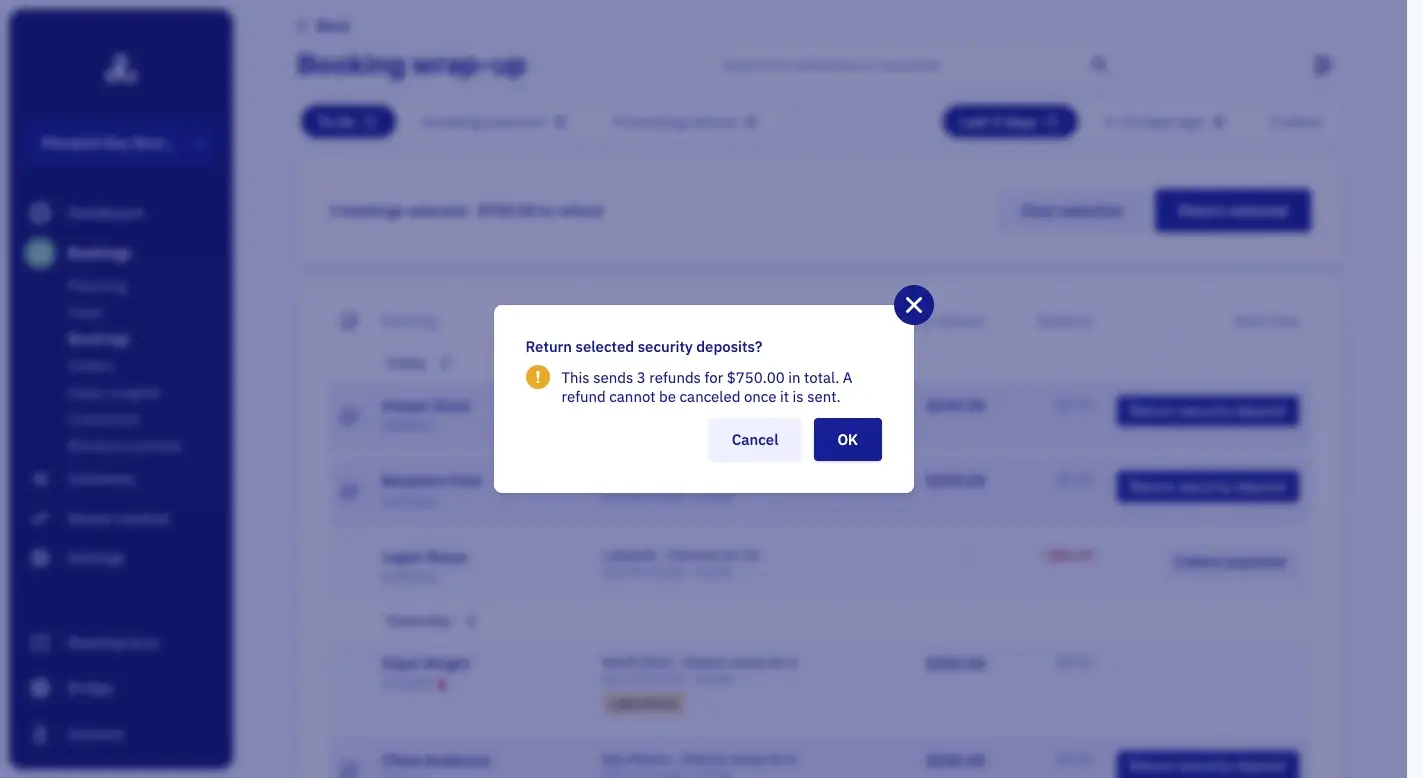
ConfirmOne click, and the refunds are on their way.
Set a deposit per boat, trip or customer.
In Let's Book a security deposit is a setting on a rental or a trip, never a default. You decide where it belongs: on the yacht for the week, not on the sloop for an hour. Your customer pays it when they book, together with the rent, and sees exactly what it is for.
A fixed amount or a formula
A flat $250, or an amount that follows the hours, the days, the group size, the number of boats or the price of the rental. Whatever fits the boat.
Only when it matters
Set conditions: a deposit on a full day but not on two hours, for a group over eight, for a last-minute booking, for guests but not for members, on a weekend, or on one add-on.
The name says when it comes back
Your customer sees the name you give it while booking, so write the promise into it: "Deposit, refunded within 5 days". With its own tax rate.
Keep part for damage, with the reason on paper.
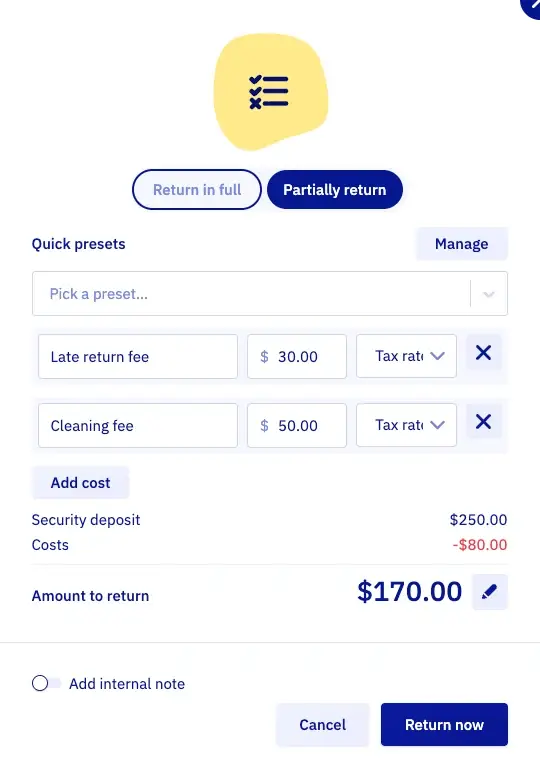
Did the boat come back with a scratch, or half an hour late? Then you don't have to return the whole deposit. Choose "partially return", pick the costs, and the rest goes back the way your customer paid. They get an email with the lines in it, so nobody has to call to ask why.
Presets for the usual costs
A cleaning fee, a late return, an extra half hour on the water: save them once, with the tax rate already in, and drop them on a booking in one click. A percentage preset follows the size of the booking, handy for a cancellation fee.
Every withheld dollar on its own line
Each cost gets a description, an amount and a tax rate. The window shows the deposit, the costs and the amount to return, so you and your customer see exactly what was kept and why.
The rest can wait until Tuesday
Not sure yet what the scratch will cost? Hold part of the deposit back and return the remainder once you know. A note for your own records stays internal.
Settle a balance, an overpayment or a cancellation from it.
Not every booking goes to plan: an hour gets added, the price goes down, or somebody cancels. Then the deposit is the easiest place to close the booking. The window follows the money and opens on the mode that fits, with the breakdown your customer receives.

Open balance $45, from the deposit
Return $205
A balance comes off the deposit first
The extra hour and the fuel are still open? The window opens with "collect the open balance from the deposit" ticked, shows what the deposit covers, and settles the booking in one go. Untick it to return the full deposit and collect the balance separately.
Overpaid? Both go back together
A price that came down after the customer paid means an overpayment. If a deposit is being returned at the same time, the two go back in one action.
A cancellation with the fee you charge
For a canceled booking, add the cancellation fee. It comes off the rental payment first, only what is left is covered by the deposit, and the rest of the deposit goes back. The breakdown shows the rental payment, the deposit, the fee and the refund.
End the day with every deposit returned.
At the end of the day you don't want to open every booking one by one. So Let's Book has one page, the wrap-up page, that collects every finished booking that still needs something: a deposit to return, a balance to collect, an overpayment or a cancellation. Grouped by the day the boat came back, with the deposit, the balance and the next step on every row. Select the ones that are ready, or all of them, see the count and the total, and return them in one go. Your dashboard counts what's waiting from the last fourteen days, and says "All wrapped up" when you're done.
Flag late returns by themselves
Switch it on, and a boat that came back late gets a red flag on the wrap-up list. Handy when a late return means keeping part of the deposit.
Flag canceled bookings too
A canceled booking with money on it gets flagged, so you decide on purpose what goes back and what stays. The flag says why it was raised.
Only the people you choose
Returning a deposit needs the refund permission on a role. The summer crew sees the list; the office returns the money.
Questions about security deposits.
Do I have to take a security deposit?
No. A deposit is a setting you add to a rental or trip, with conditions if you want them. Plenty of operators run without one, and then nothing on this page applies. If you take one, Let's Book handles the rest.
Is the deposit charged or just held on the card?
It's paid with the booking, like the rental price, and refunded through the same payment method afterwards. Let's Book charges no booking fee on a deposit. Your payment provider does charge its processing fee on it, even when you refund it, so weigh a deposit against the price of the rental.
How fast does my customer get the deposit back?
You click, and the refund is on its way; the customer gets an email right then. Mollie holds a refund for about ten minutes before executing it, and Stripe can take hours and sometimes days to confirm. The booking sits under Processing refund until it lands, out of your to-do list.
Can I keep the whole deposit?
Yes. If the costs you withhold add up to the whole deposit, it's captured and no refund goes out. The customer doesn't get an email either, because nothing changed for them.
Can I take a deposit at the dock, from a walk-up?
Yes. A booking you make at the counter takes the same deposit as one made online, paid by card on file, by payment link or on your card reader.
See it on your own bookings.
Half an hour on a video call, and we show you the wrap-up page with your boats in it. Send us your website, and your boats and branding are already set up. No setup fee, no minimum term.